DiamondOps for iOS launched in July. It has had two updates since: 1.1 on August 8 and 1.2 on October 6. I never wrote 1.1 up properly, so this post covers both, newest first. The full list for every version lives on the iOS changelog.
1.2: Rankings, the OpScore leaderboard
1.2 has one new screen. Signals › Rankings ranks the highest-scoring cards in the game by OpScore, overall and by position. It is free for every account. No Pro, no trial, nothing to unlock.
If you haven’t met OpScore yet: a card’s Overall is a flat average. OpScore re-weights the attributes that actually win games, so the leaderboard tells you which cards play best, not which ones have the biggest number on the front.
1.2: Diamond Radar shows its track record
This is the change I care about most. Radar used to grade itself, with a single model-accuracy figure. That figure is gone. Radar now reports what actually happened: how many of its strongest calls really did get upgraded, and how many graded roster updates that covers.
When there isn’t enough graded data to stand behind, it shows nothing rather than a number it can’t back up. I would rather leave a gap than print a figure that looks good and isn’t.
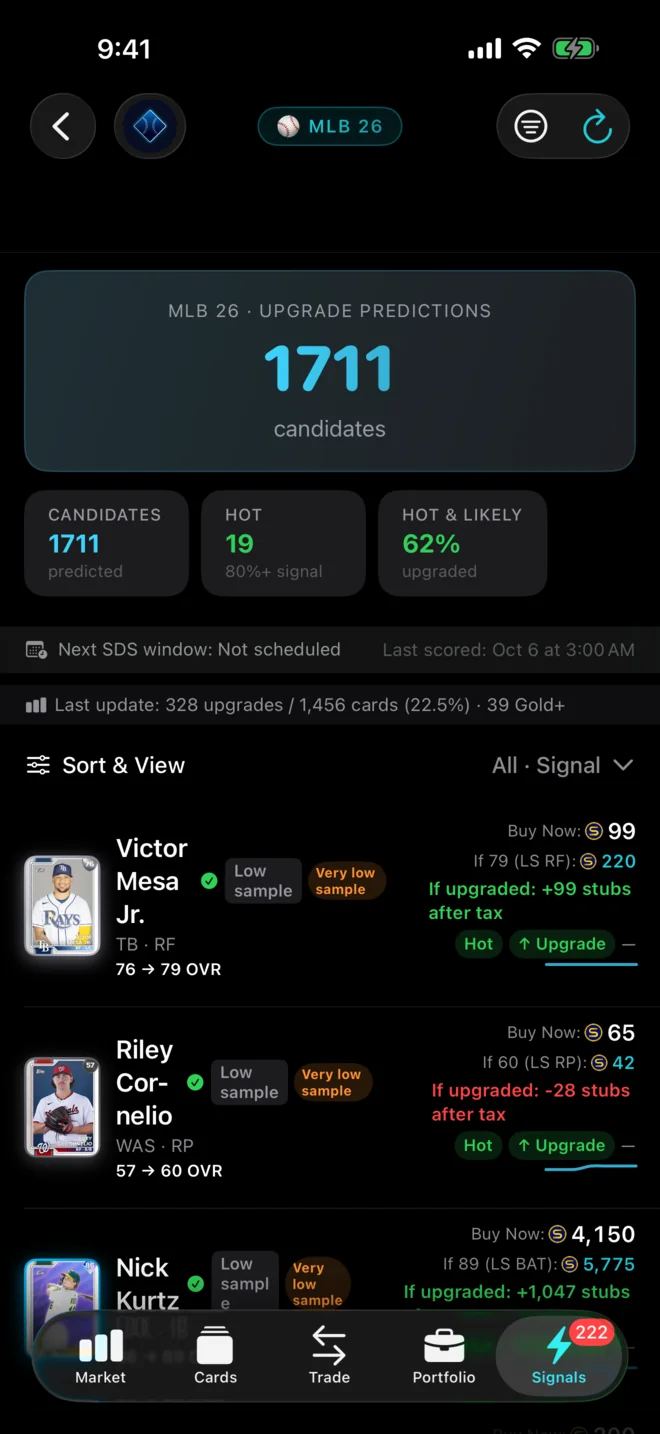
Radar numbers that don’t overclaim
The track record made something else obvious. Every Radar row used to print the same upgrade percentage. That number was a ceiling in the model, not a measurement of any card. So 1.2 drops it:
- Each row shows its strength band instead: Hot, Likely, Watch or Low.
- A card’s own price is no longer called a prediction. It’s labelled for what it is: a comparable at the card’s current rating.
- Value Gap now says when a gap counts only the upside, or rests on thin data.
Fewer dead ends
- A refresh that fails says so and leaves the list you were reading in place.
- A sync interrupted by leaving the app reports that it stopped, instead of looking like it’s still running.
- The Cards tab no longer gets stuck when a page request is dropped.
- On Diamond Radar, one bad row from the server costs that row, not the whole screen.
- Tapping a non-card item opens its own screen.
- The alerts badge counts every unread alert, and Diamond Radar no longer stops at the first page of results.
Sign-in and membership
- When your sign-in can’t be restored at launch, the app says which problem it is (a session that ended, or a saved sign-in it couldn’t read) instead of one vague message.
- The tier on your Profile follows the membership check, instead of a value the app wrote over it.
1.1: Transaction History and steadier syncing
1.1 shipped on August 8. The headline was Transaction History: your buys and sells from your linked account in one place, with a running Realized P&L total and units sold. Some sales are estimated when the game doesn’t report them. Those rows are labelled, and you can press and hold one to correct it if we guessed wrong.
Syncing got more reliable too. Large transaction histories now backfill steadily instead of stalling, gaps fill themselves in, and a sync that fails no longer costs you your free daily sync.
- Supercharged Today opens the card you actually tapped, and Back returns straight to the list.
- Fixed a crash that could close the app when opening Value Finder.
- Cards that aren’t on the marketplace keep their art, overall rating and OpScore.
- Fixed a pricing bug that could halve the recorded cost basis on synced transactions.
- Fixed sign-out occasionally not sticking.
- Fewer “too many requests” errors when marking alerts read.
- Faster launch and less stutter on screens that read your saved session.
Get the update
If you already have DiamondOps, update from the App Store. If you don’t, it’s free on iPhone and iPad, iOS 17 or later. Everything the iOS app does is on the DiamondOps iOS page.
DiamondOps for iOS 1.2
Free on the App Store for iPhone & iPad.
 About the iOS App
DiamondOps is not affiliated with, endorsed by, or sponsored by Sony Interactive Entertainment, San Diego Studio, MLB, or MLB The Show. Screenshots show sample data for illustration.