⚾ iPhone & iPad · iOS 17+

DiamondOps for iPhone & iPad

The Diamond Dynasty market, in your pocket. Live buy-now and sell-order prices, flips ranked by profit after the 10% tax, your collection valued at current prices, Diamond Radar — now with its own track record — and the OpScore Rankings leaderboard, all on the go. Collection sync is built in, so unlike desktop you don’t need the Chrome extension.

Free on the App Store · Sign in with Apple · v1.2 · requires iOS 17 or later
What You Get on iOS

The market tools you reach for mid-session, built for a phone rather than squeezed onto one.

Market Browser

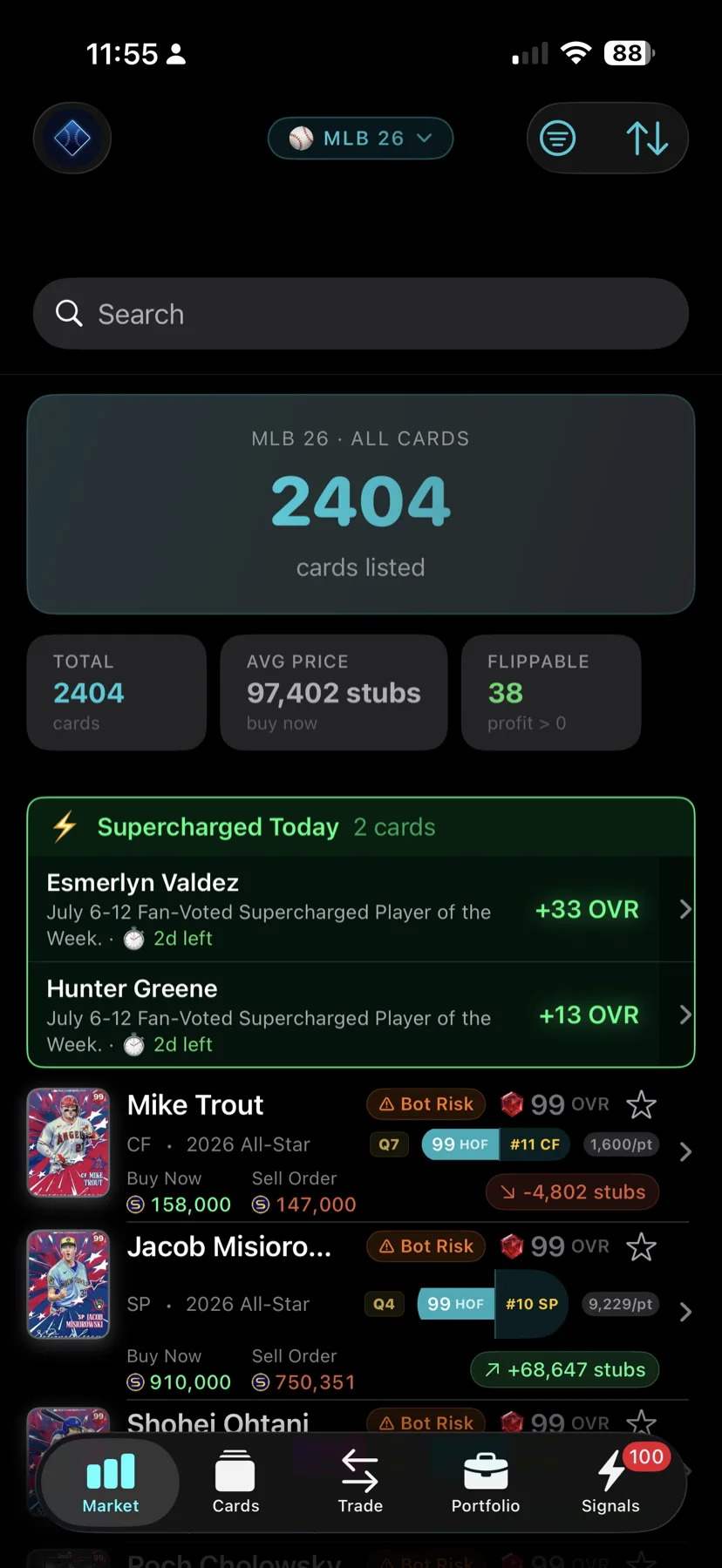
Live buy-now and sell-order prices for every card in MLB The Show 26 — searchable, filterable, and current.

Flip Finder

The biggest buy/sell gaps, ranked by real profit after the 10% market tax — not the gross spread that looks good and isn’t.

Portfolio

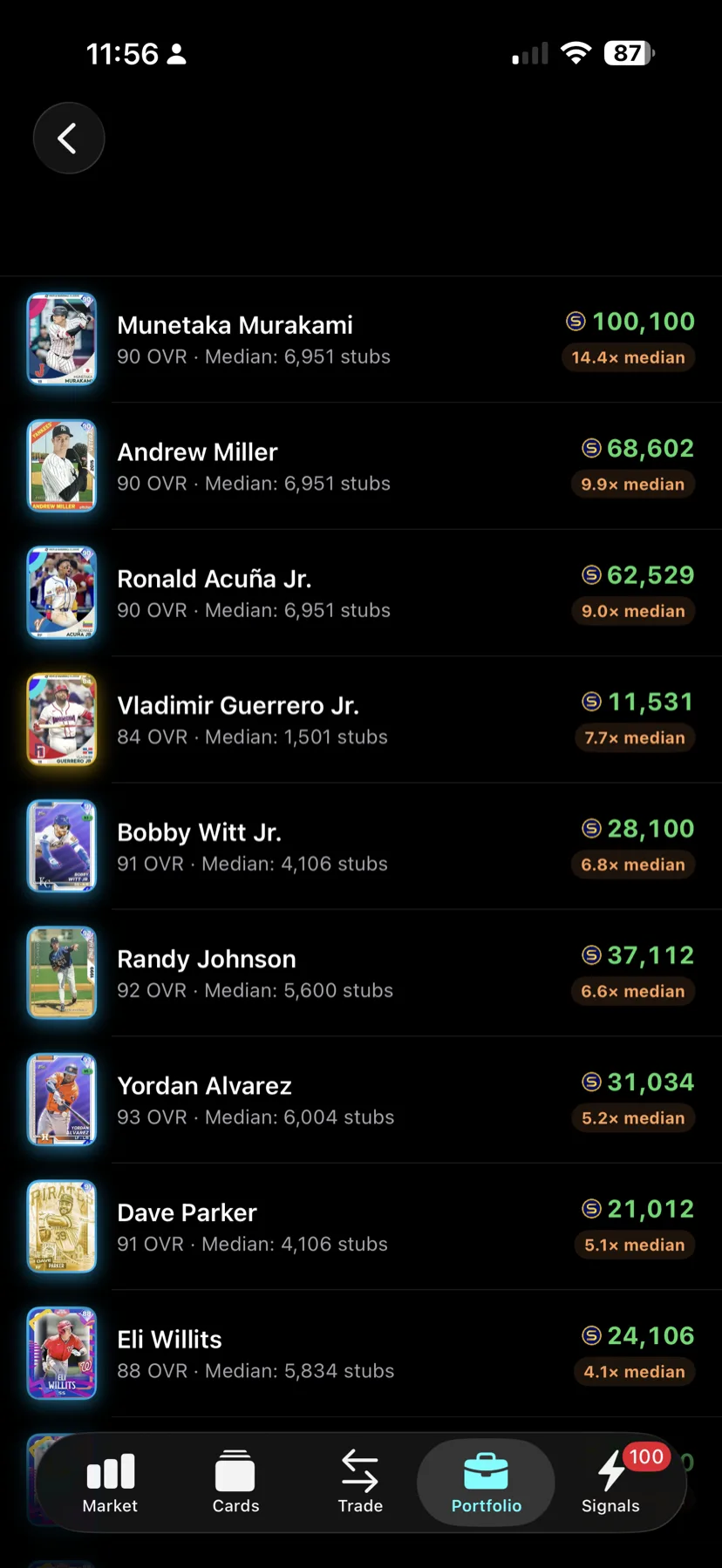
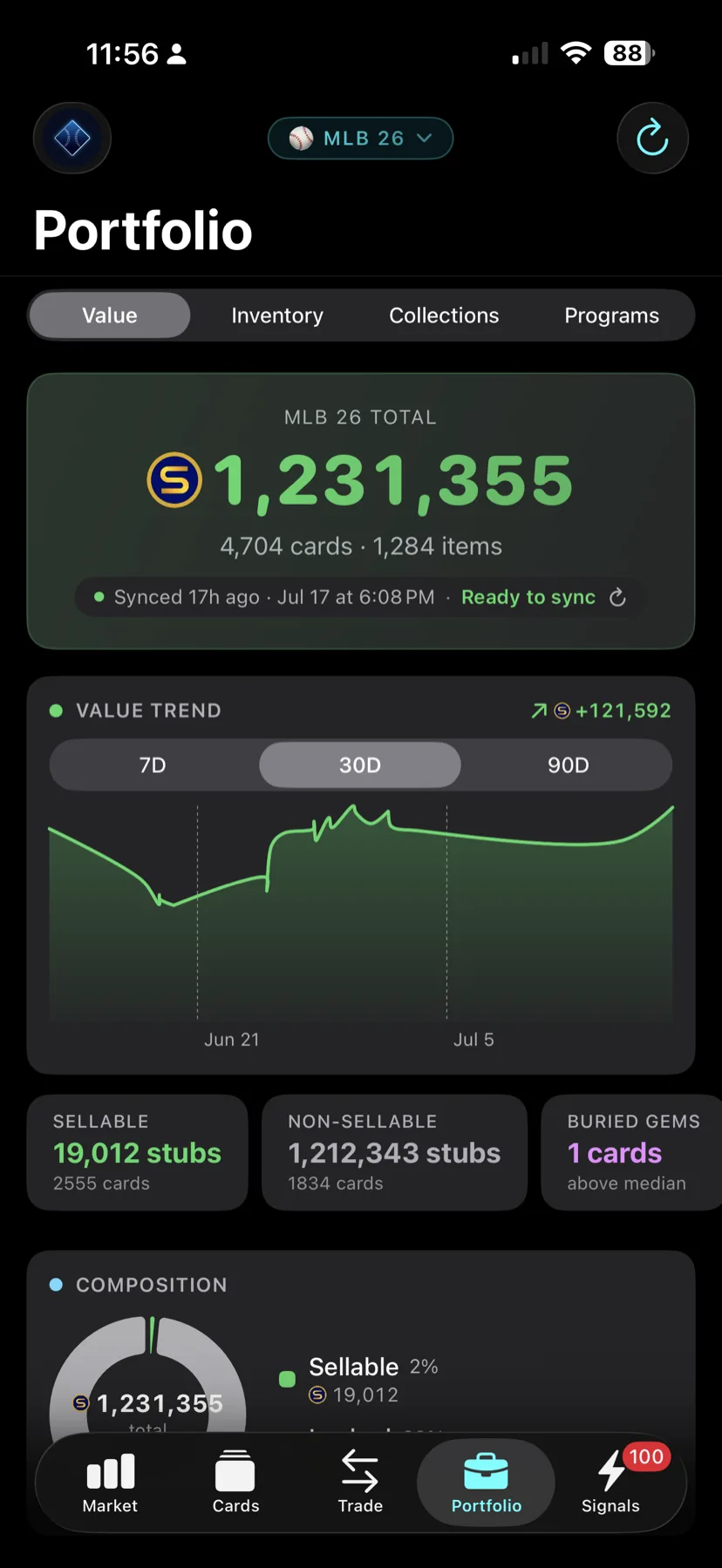
Your synced collection valued at current market prices, with a value trend over time and your best and worst performers surfaced.

Transaction History

Your buys and sells from your linked account in one place, with a running Realized P&L total and units sold. Estimated sales are labelled, and you can press and hold a row to correct one.

Diamond Radar

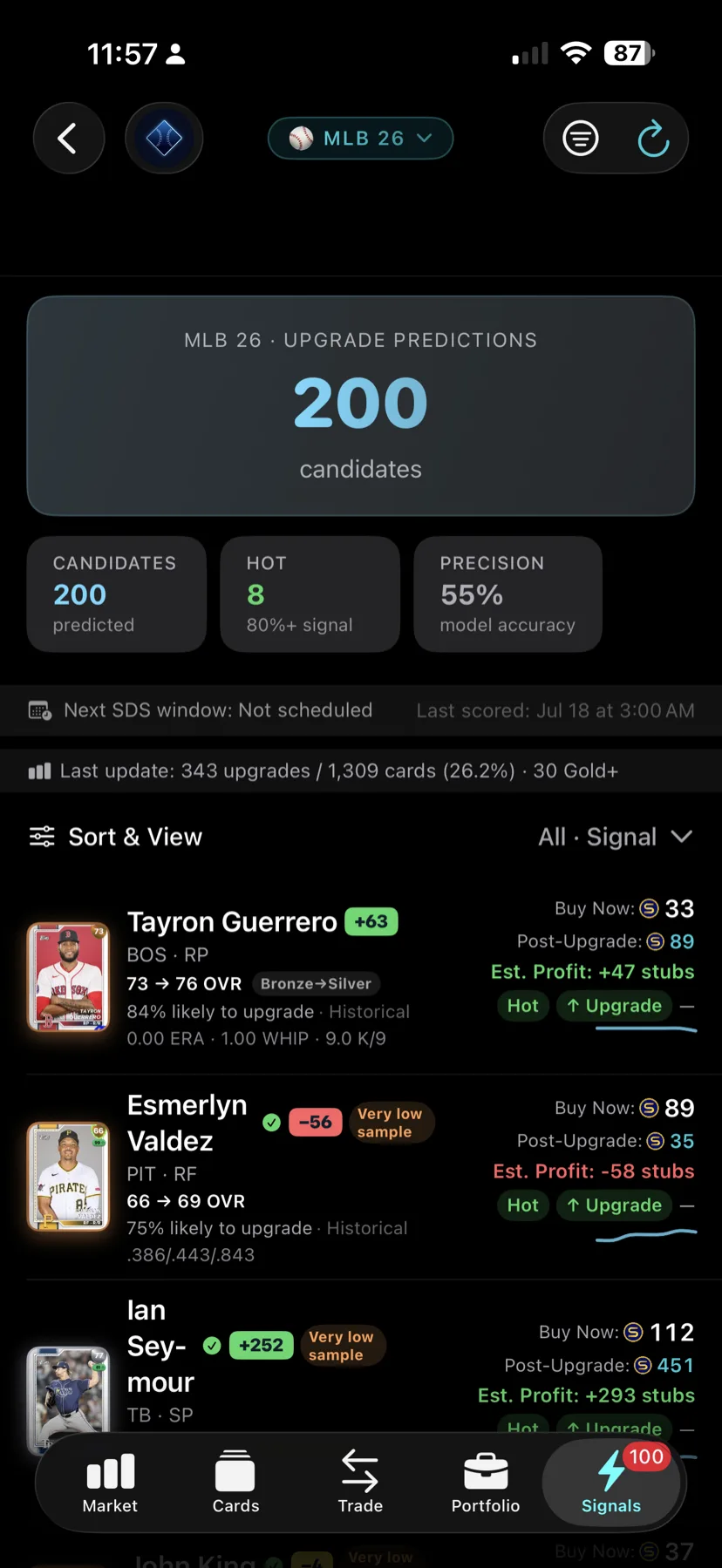
Cards Radar rates for an OVR upgrade, each with a strength band — Hot, Likely, Watch or Low. Below the list, Radar reports its own track record: how many of its strongest calls actually got upgraded. Free covers Common & Bronze in full; Pro widens it to every rarity.

Rankings

The OpScore leaderboard — the highest-scoring cards in the game, overall and by position. Under Signals › Rankings. Free for every account.

Watchlist & Price Alerts

Track the cards you care about and get a push notification when one hits your target price.

Value Finder

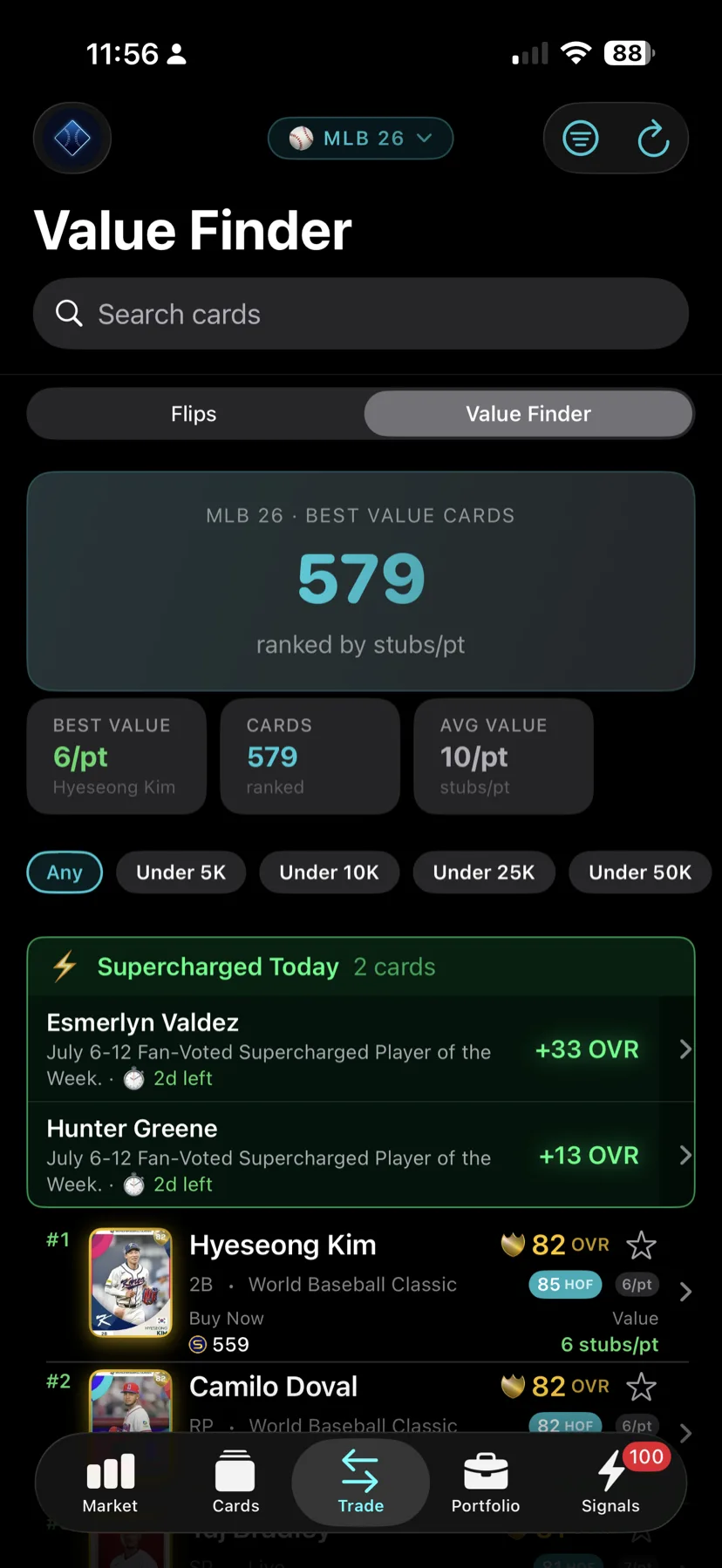
The best stubs-per-point on the board, ranked — find where your stubs actually buy the most card.

Collections & Programs

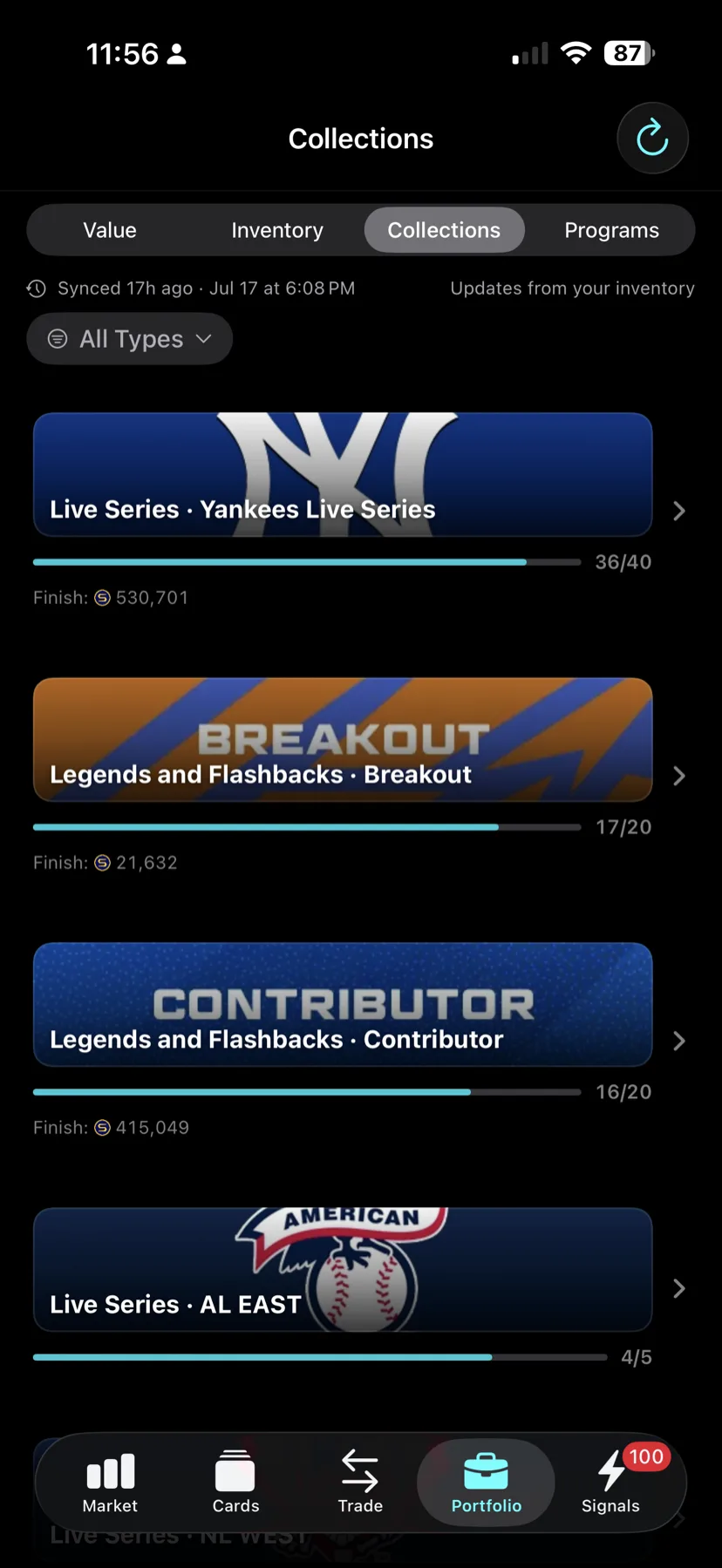
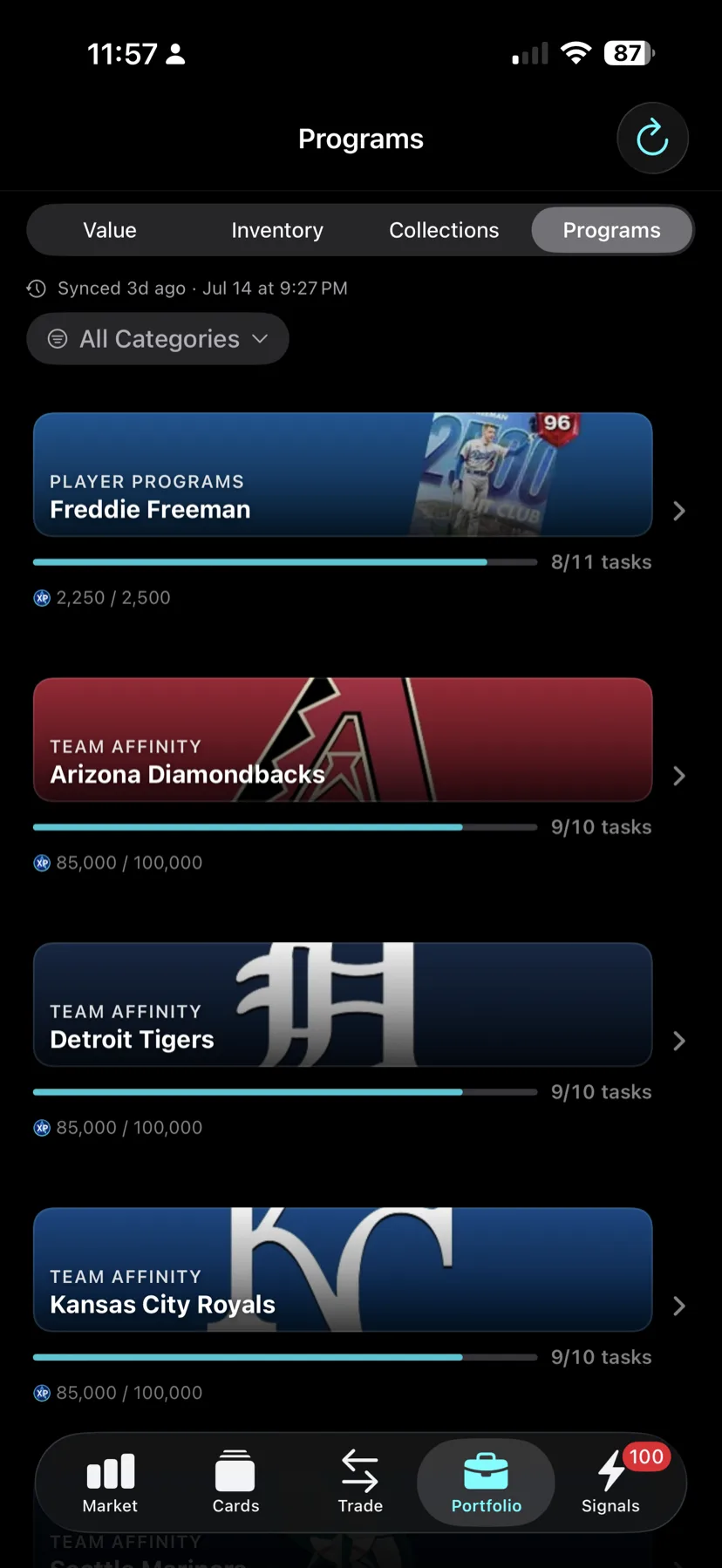
Track progress toward Live Series and Legends collections, plus Team Affinity and player programs.

Built-In Collection Sync

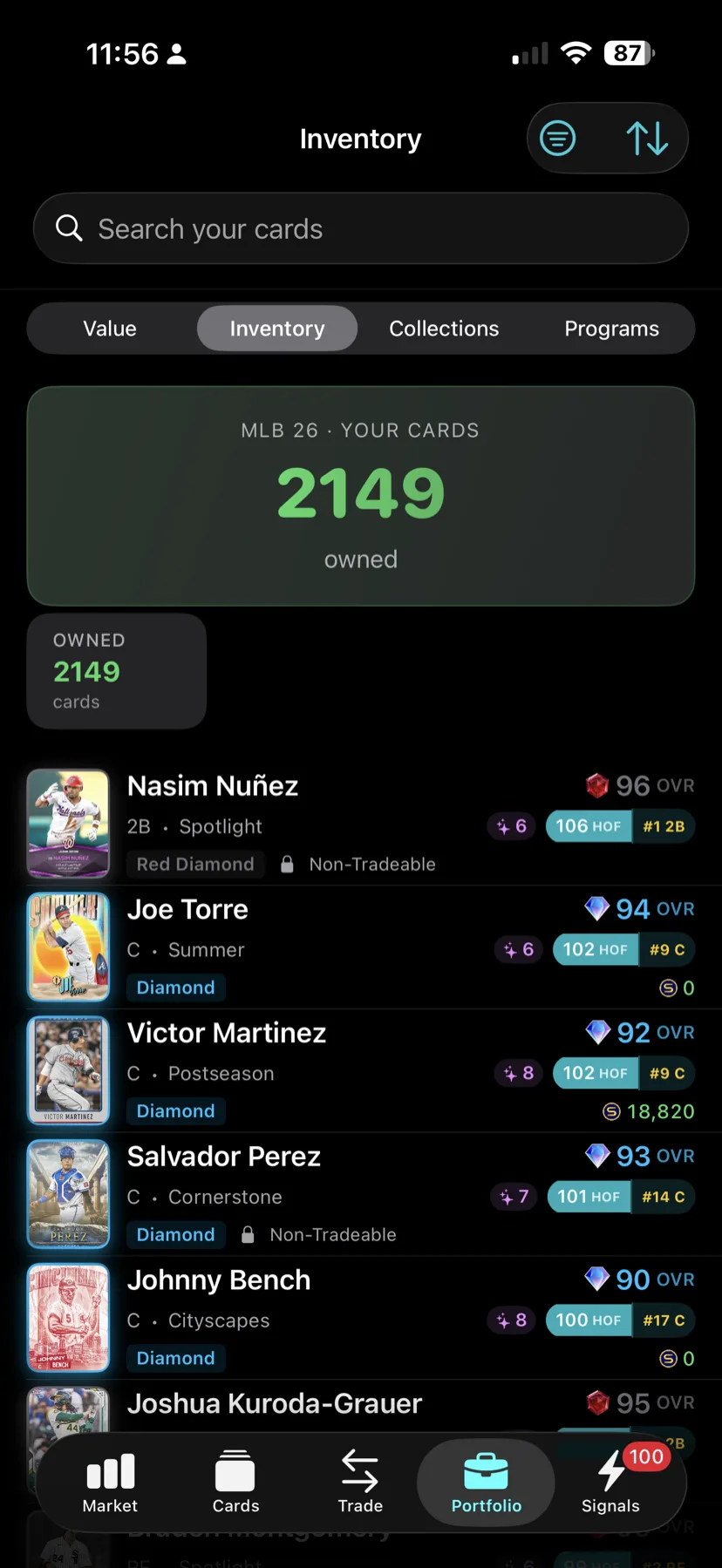
Sync your real Diamond Dynasty collection from the app itself. No browser extension, no desktop step.

Screenshots

Screenshots from DiamondOps v1.0; the App Store now has v1.2. Shown on iPhone; DiamondOps runs natively on iPhone and iPad. Data shown for illustration.

DiamondOps iOS Portfolio dashboard showing total collection value, a 30-day value trend chart, and Buried Gems
Portfolio — know what your binder is worth
DiamondOps iOS Signals screen showing Diamond Radar upgrade predictions with buy-now prices and estimated profit
Signals — Diamond Radar
DiamondOps iOS Market screen with flippable cards, Supercharged players, and bot-risk flags
Market — live prices & flip candidates
DiamondOps iOS Value Finder ranking the best value cards by stubs per point
Value Finder — best value cards, ranked
DiamondOps iOS Value screen listing top holdings ranked by how many times their median price they are worth
Value — your top holdings ranked
DiamondOps iOS Inventory screen showing a synced Diamond Dynasty collection of over 2,000 cards
Inventory — your synced collection
DiamondOps iOS Collections screen tracking progress toward Live Series and Legends collections
Collections — Live Series & Legends progress
DiamondOps iOS Programs screen tracking Team Affinity and player program progress
Programs — Team Affinity & player programs
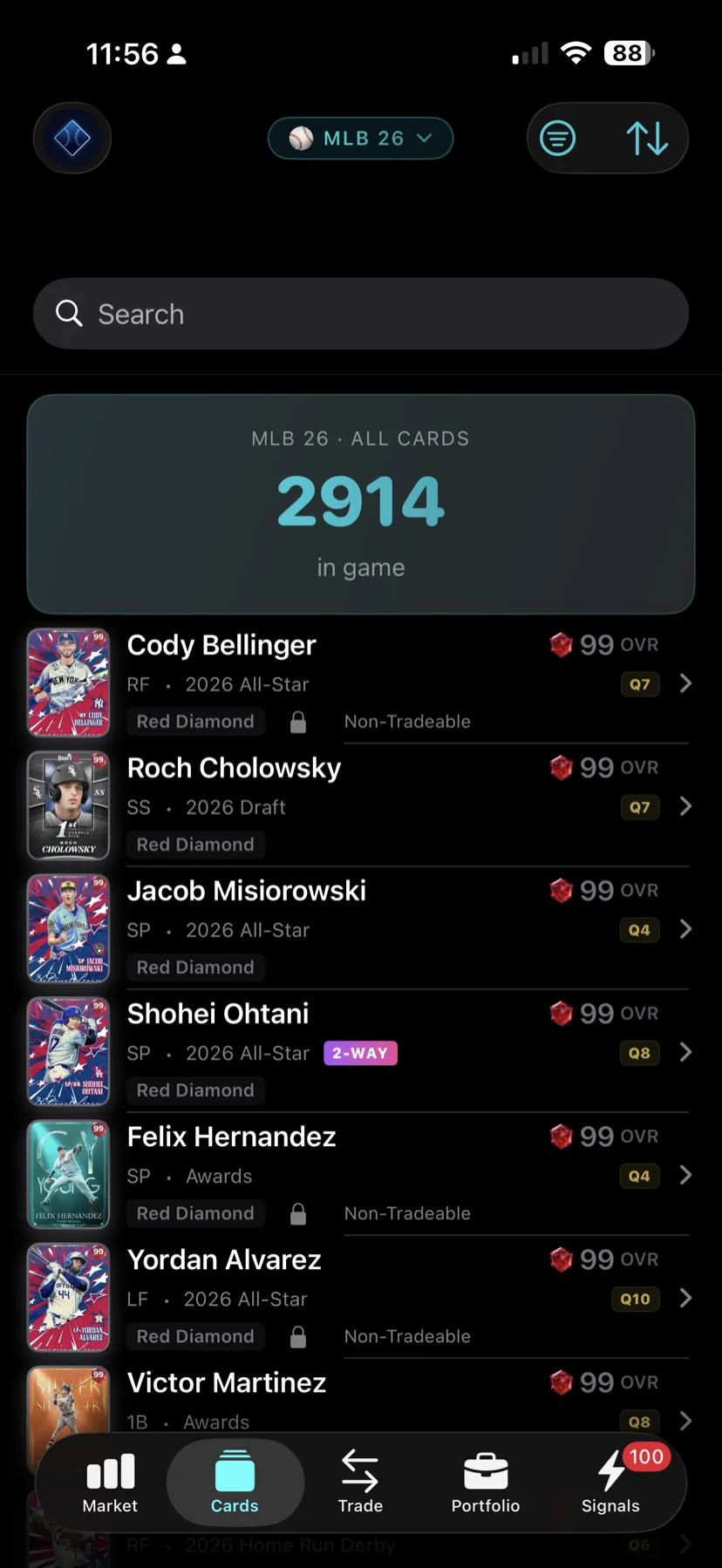
DiamondOps iOS Cards browser listing every card in MLB The Show 26 with overalls and quirks
Cards — every card in MLB The Show 26

A companion to the web app — not a replacement

DiamondOps for iOS pairs with the full platform at diamondops.gg, which carries the deeper tools: opponent scouting, the Community K-Zone strikeout heatmaps, pack-opening analytics, the items market, Market Segments, the full per-update Diamond Radar track record pages, and the strategy guides. The iOS app covers what you want during a session; the web app is where you plan.

Your account is shared across both — sign in with Apple once and your collection, watchlist and subscription follow you. Full tier breakdown lives on the DiamondOps pricing section.

Frequently Asked Questions

Do I need the Chrome extension to use the iOS app?

No. Collection sync is built into the iOS app, so it pulls your Diamond Dynasty collection natively. The Chrome extension exists for syncing from a desktop browser — on iPhone or iPad you don’t need it.

Is the iOS app free?

Yes — free to download and free to use. Some advanced features (live prices, advanced signals, unlimited watchlist) are part of DiamondOps Pro, available as an in-app purchase (with Restore Purchases in the app). Your subscription is tied to your DiamondOps account, so it follows you across web and iOS.

Does it need an account?

Yes. DiamondOps uses Sign in with Apple. We don’t store your email address or build an account profile — see the privacy policy for exactly what is and isn’t collected.

What devices does it run on?

iPhone and iPad running iOS 17 or later. The layout adapts to iPad rather than running as a stretched phone app. Android is on the roadmap.

Is my collection data the same on web and iOS?

Yes — both read the same synced collection from your DiamondOps account, so a sync on one shows up on the other.

Get DiamondOps on iOS

Free on the App Store for iPhone and iPad. Requires iOS 17 or later.

Download on the App Store

DiamondOps is an independent companion app and is not affiliated with, endorsed by, or sponsored by Sony Interactive Entertainment, San Diego Studio, Major League Baseball, or the MLB Players Association. “MLB The Show” and “Diamond Dynasty” are trademarks of their respective owners.