v1.2 is here — Free is now unlimited (ad-supported) · New Lite tier $2.99/yr · Zone Splits, Strike Rate & Pitch Recall · See what's new →
⚾ MLB The Show 26

Know Where They'll Pitch — Before They Do

PitchGuessr tracks your opponent's pitching patterns in real-time and builds a live prediction heatmap that gets smarter every pitch. See exactly where they go at each count and matchup — and stop guessing at the plate.

⬇ Download on the App Store

Free (ad-supported) · No account required
Lite $2.99/yr (no ads) · Pro $9.99/yr (advanced stats)

✅ v1.2 available now · See what's new
PitchGuessr App Icon
25
Pitch Tracking Zones
2
Prediction Models
12
Count Situations (0-0 → 3-2)
100%
On-Device — No Server

Your memory isn't built for this.

During a competitive at-bat, you're managing pitch count, handedness, zone tendencies, and game situation simultaneously. Your brain can't hold all of that and still hit.

PitchGuessr replaces memory with data.

What You Get

Everything you need to read your opponent's pitching tendencies and step into the box with a real edge.

🔥

Live Prediction Heatmap

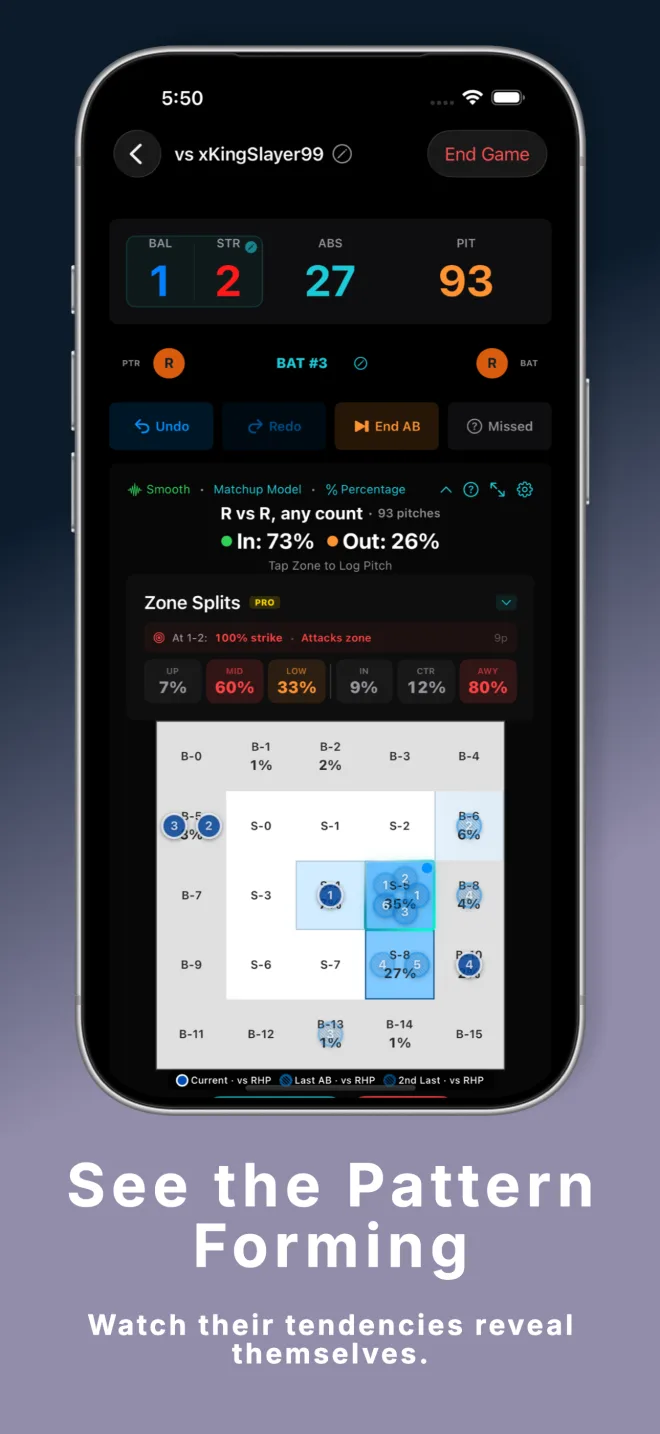
Zone probabilities update after every pitch logged. Darker zones mean higher likelihood. At a glance, you'll know exactly where the ball is most likely to go before the pitch leaves their hand.

🧠

Two Prediction Models — Both Free

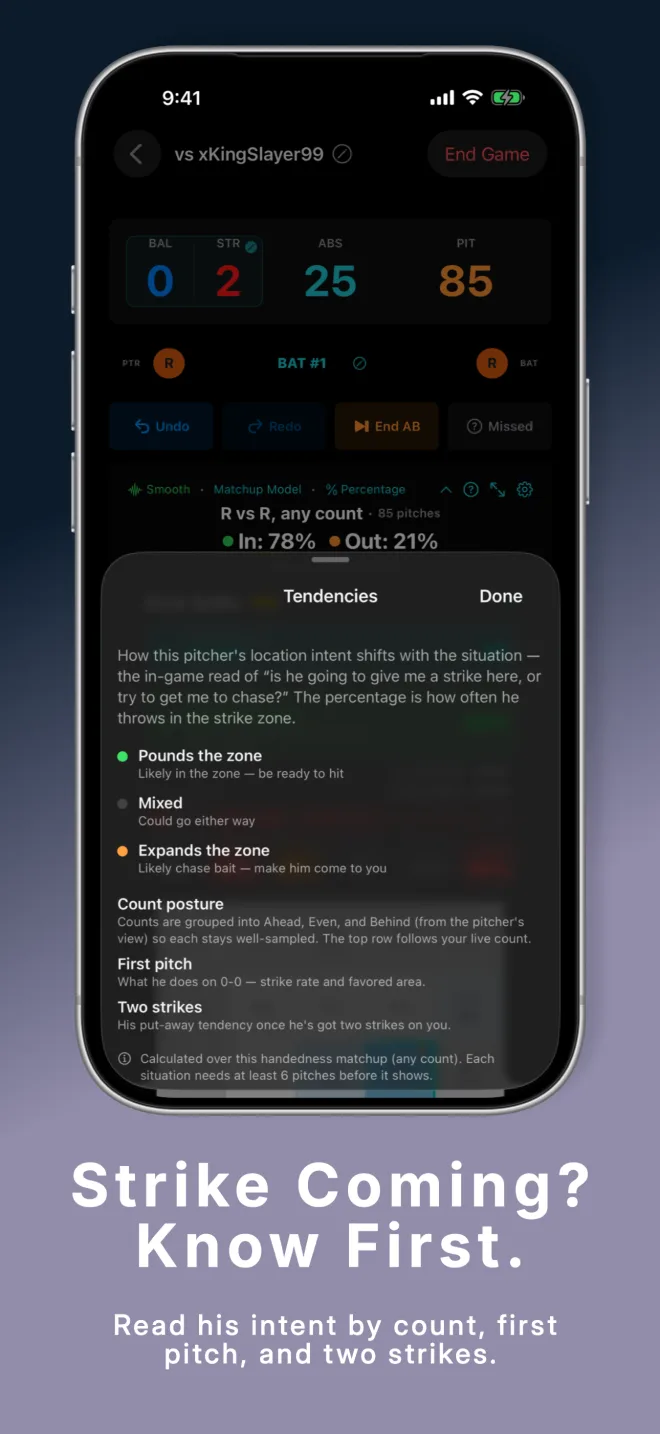
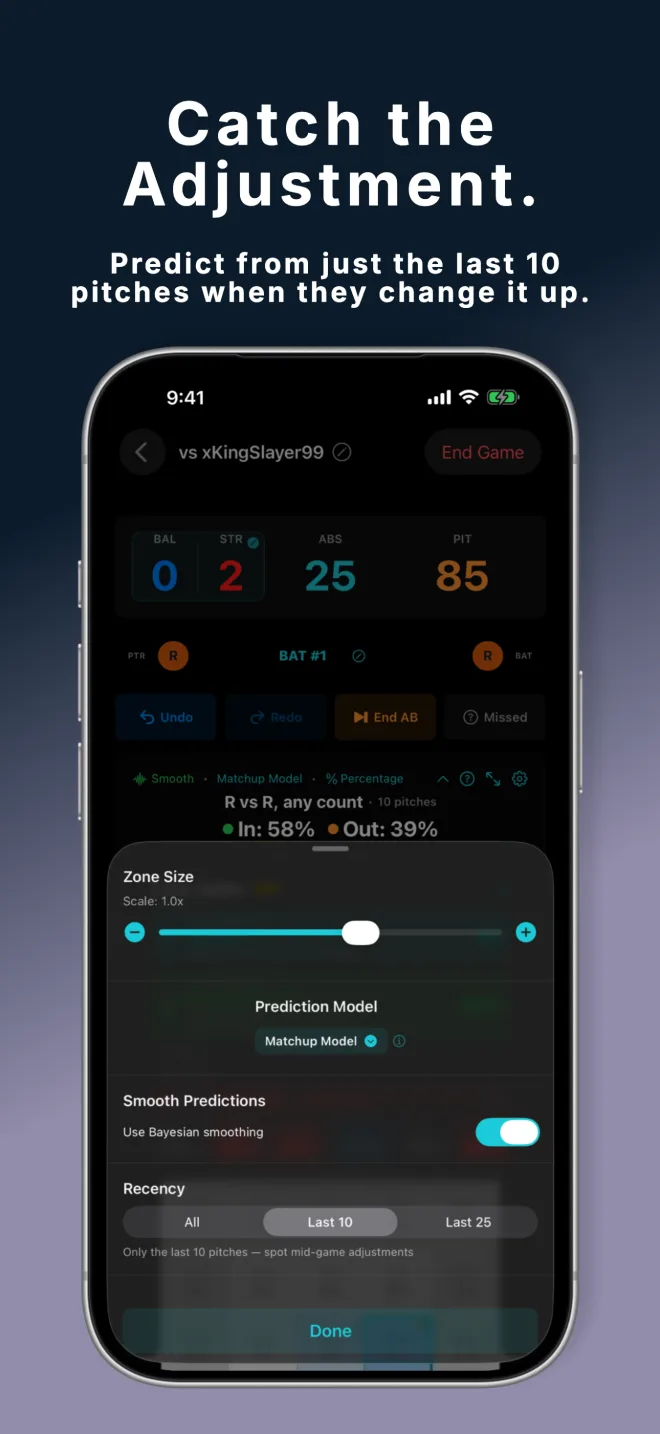
Standard mode filters by exact count and handedness ("what do they throw at 2-2 vs a lefty?"). Matchup mode uses all pitches by handedness — best early before count data builds up. Tap the model name in the status bar to switch instantly during a game.

Pitch Sequence Overlay

See your opponent's exact pitch-by-pitch sequence overlaid on the strike zone. Color-coded by at-bat. Current at-bat in solid blue, previous at-bats in hatched circles. Spot repeat sequences instantly.

📊

Count & Matchup Filtering

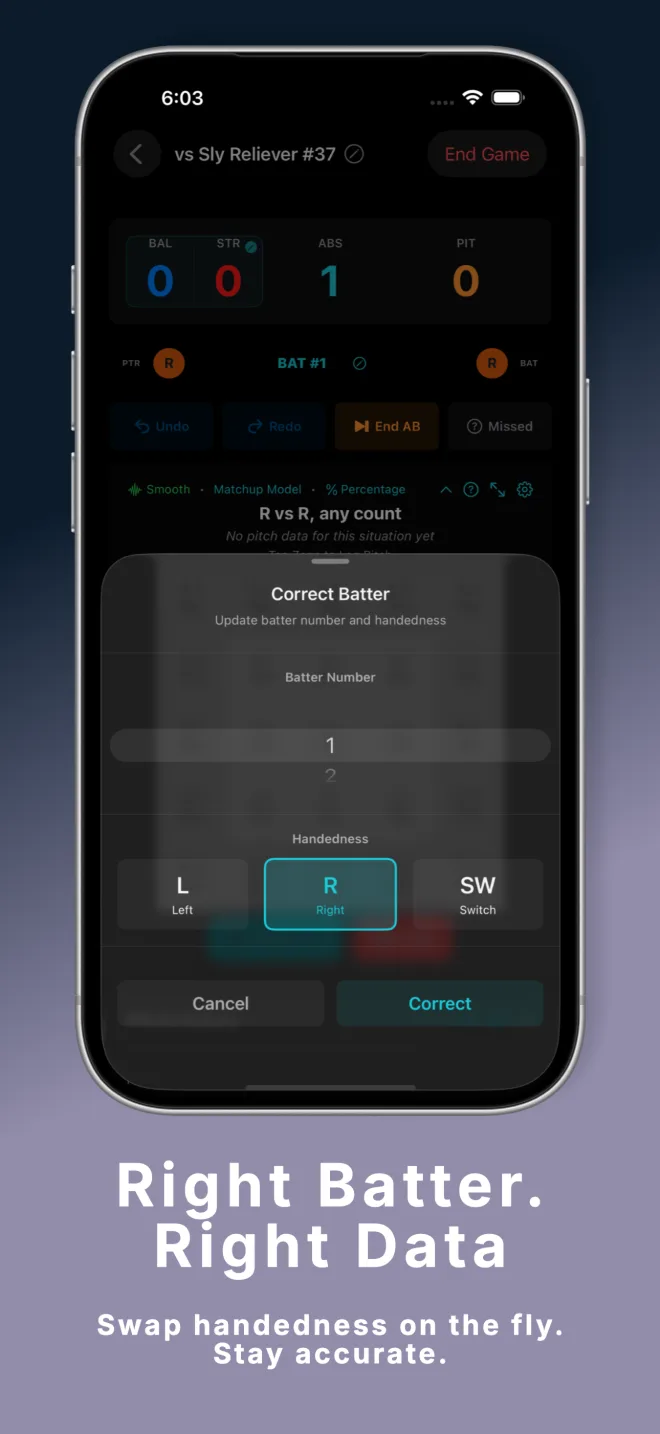
Predictions automatically filter by the exact current count and batter handedness. Switch hitters resolved to the correct hand based on pitcher. No manual setup — it just works as you play.

📱

iPhone & iPad Optimized

Portrait and landscape layouts both fully supported. Tap ⤢ or pinch out past max size to enter full screen mode — the strike zone fills your entire display with floating Status and Config sheets. Pinch to resize the grid between 0.7× and 1.2×.

🔒

Privacy First — No Account

All opponent data lives on your device. No login, no cloud account, no data sent anywhere. Optional iCloud sync (Pro) uses your own Apple account. We never see your data. Period.

How It Works

Up and running in under a minute. Useful from the very first pitch.

1

Create Your Opponent

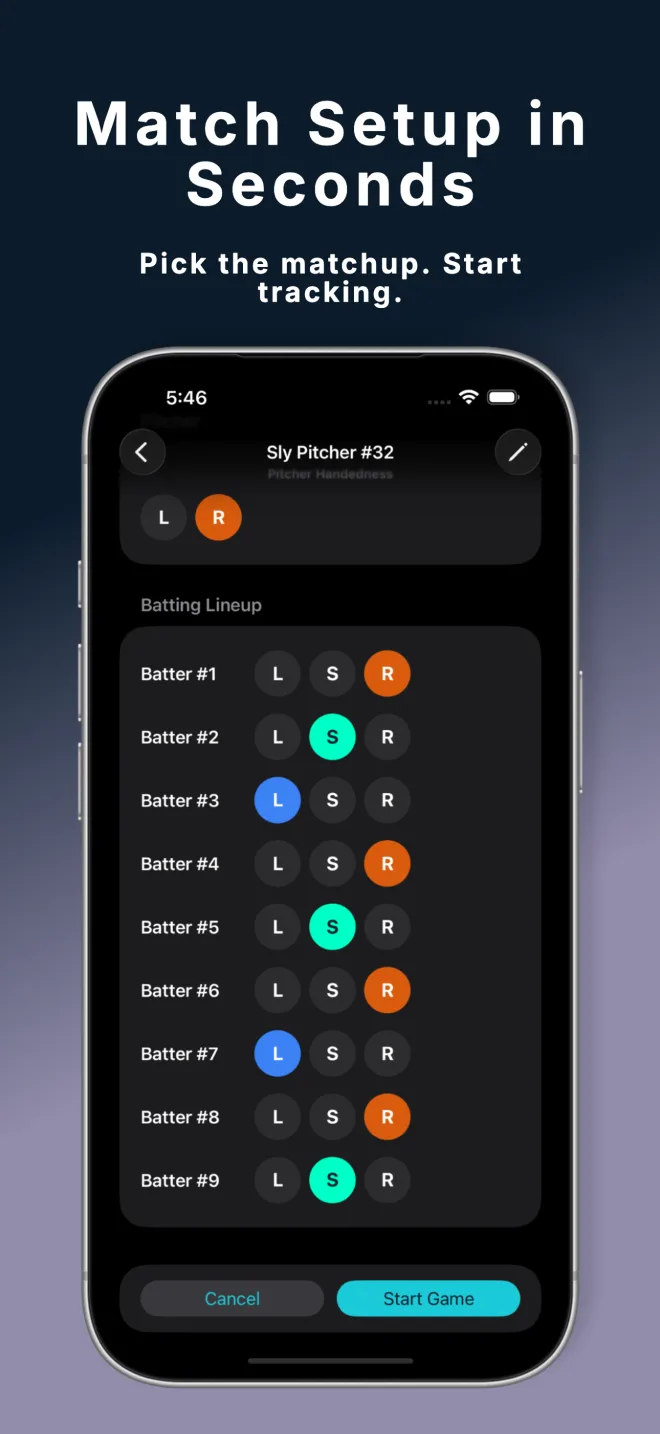
Add any online opponent with a name and their pitcher's handedness. Optionally configure your batter lineup — enter each batter's position and handedness (or switch hitter) once, and PitchGuessr handles the matchup math automatically every time you face them. Setup takes about 30 seconds.

PitchGuessr game setup screen — enter opponent name and pitcher handedness
2

Log Every Pitch in Real Time

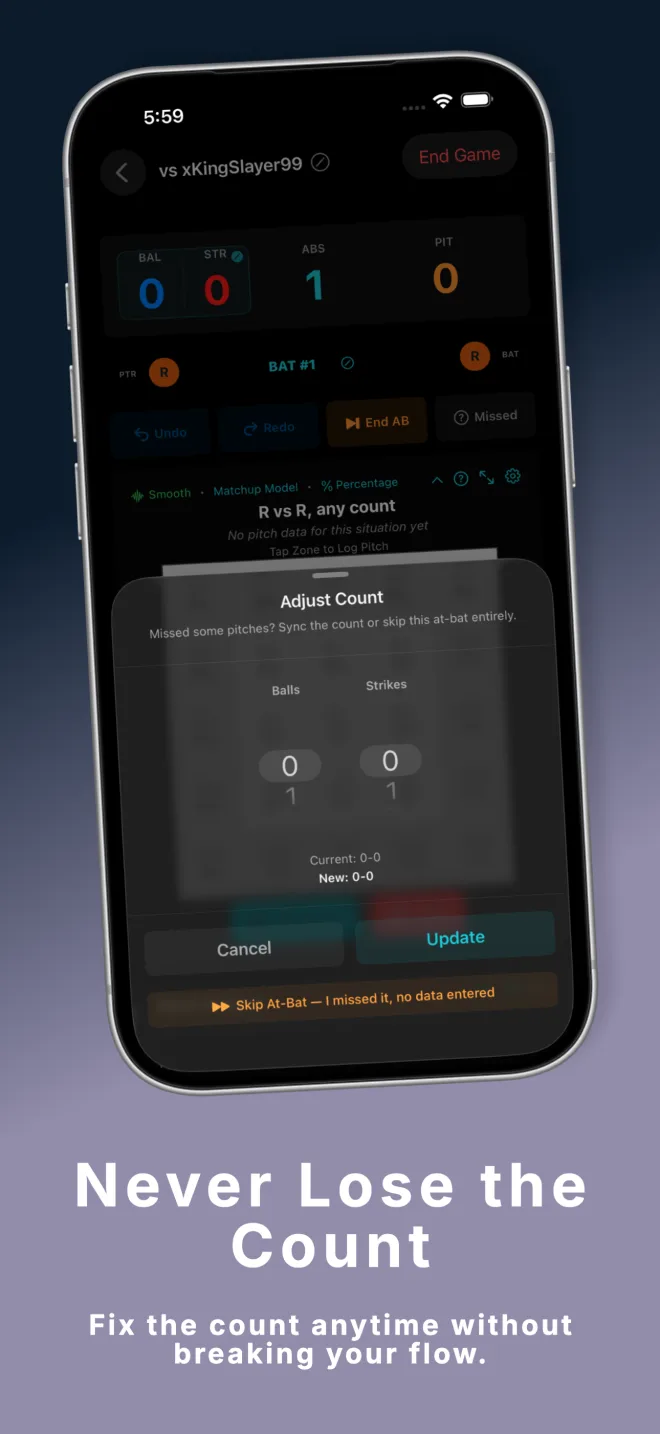
As you play, tap the zone on the 5×5 grid where each pitch was thrown — 9 strike zones and 16 ball zones cover the entire plate area. Select the outcome (Ball, Strike, Foul, Hit, Out, etc.) and the count auto-advances. Long press a zone for quick actions: intentional walk, skip batter, or log a missed location without a zone.

PitchGuessr pitch logging screen — tap the zone, pick the outcome
3

Read the Heatmap — Step In Knowing

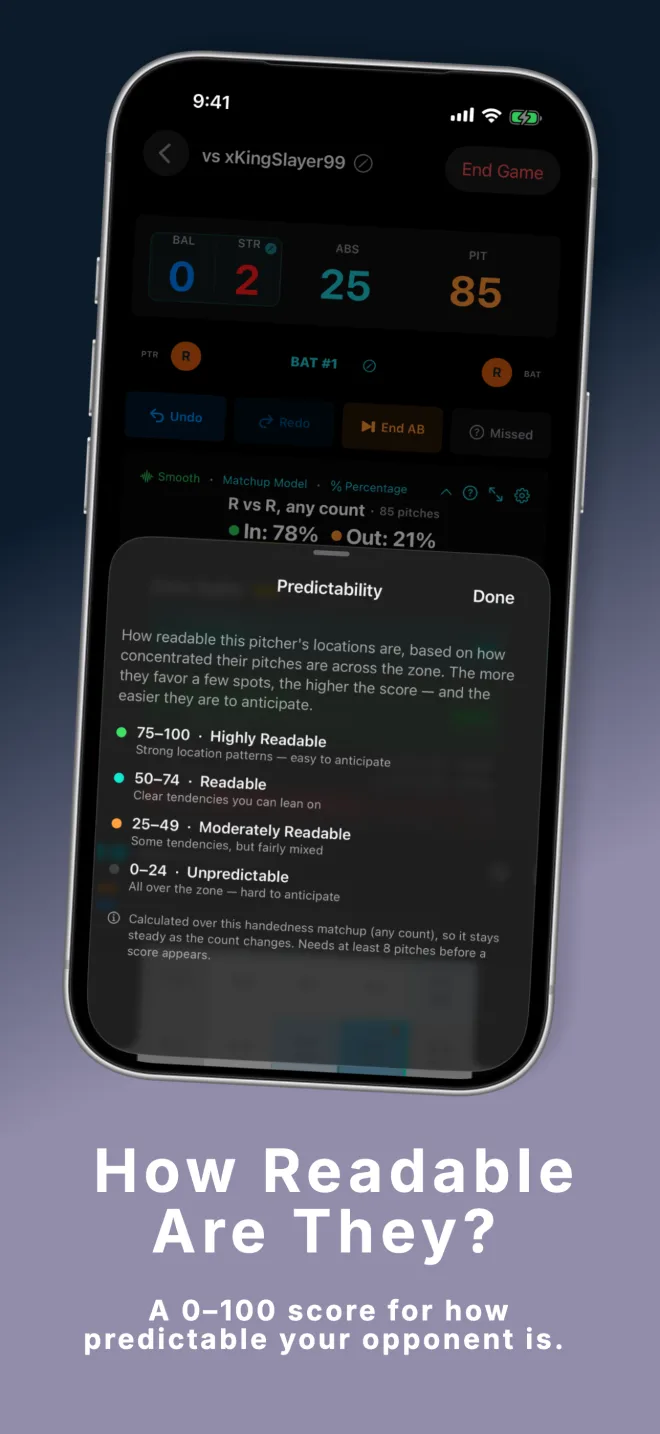
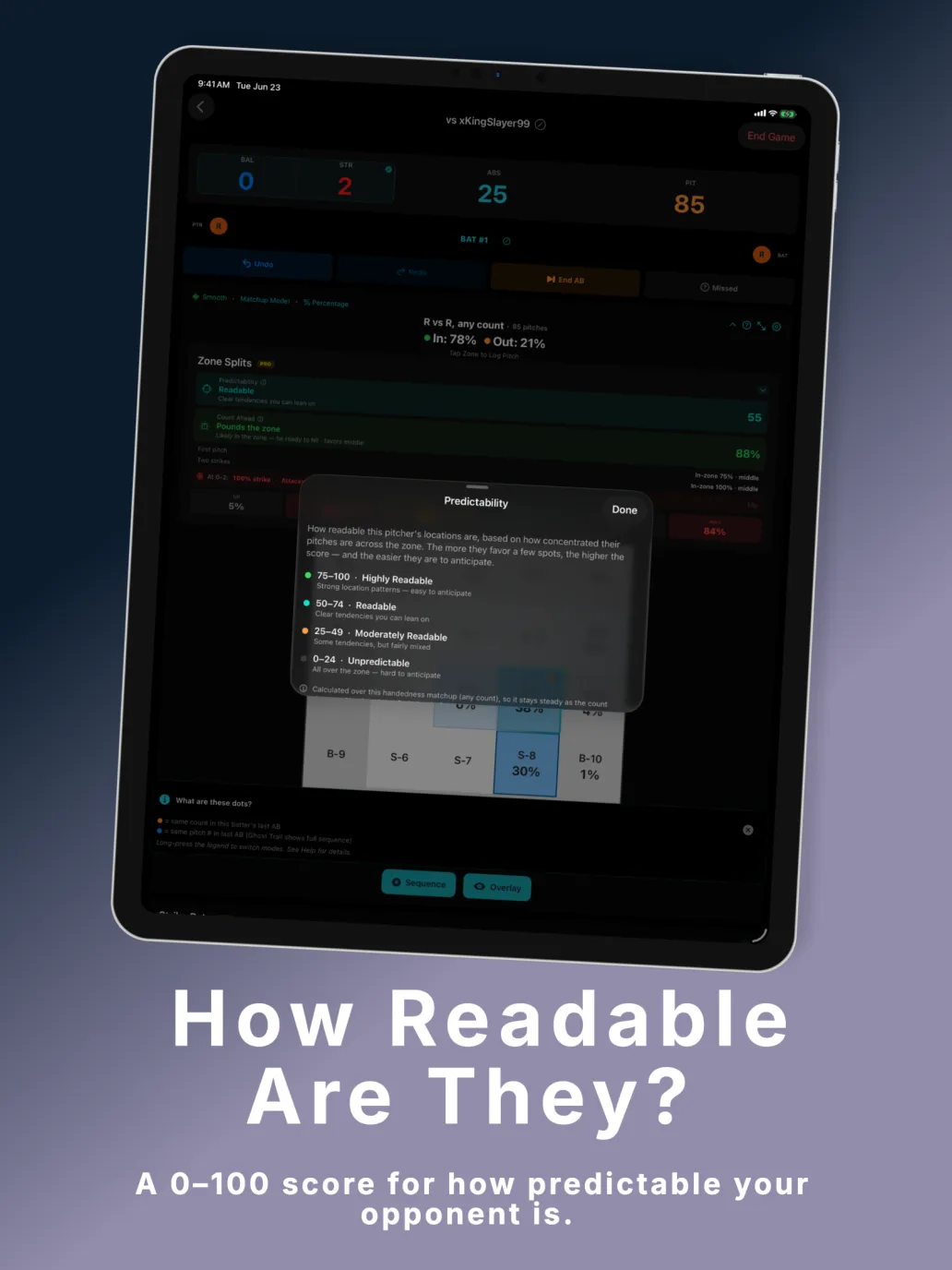
PitchGuessr builds a live prediction model as data accumulates. Confidence climbs from Very Low → Low → Medium → High as pitches are logged. The zones with the most heat are where your opponent goes most often at the current count. When the app suggests switching to Standard mode, you have enough count-specific data to get even more precise predictions.

PitchGuessr live heatmap building during an active at-bat

Screenshots

PitchGuessr v1.2 — runs natively on iPhone and iPad.

iPhone

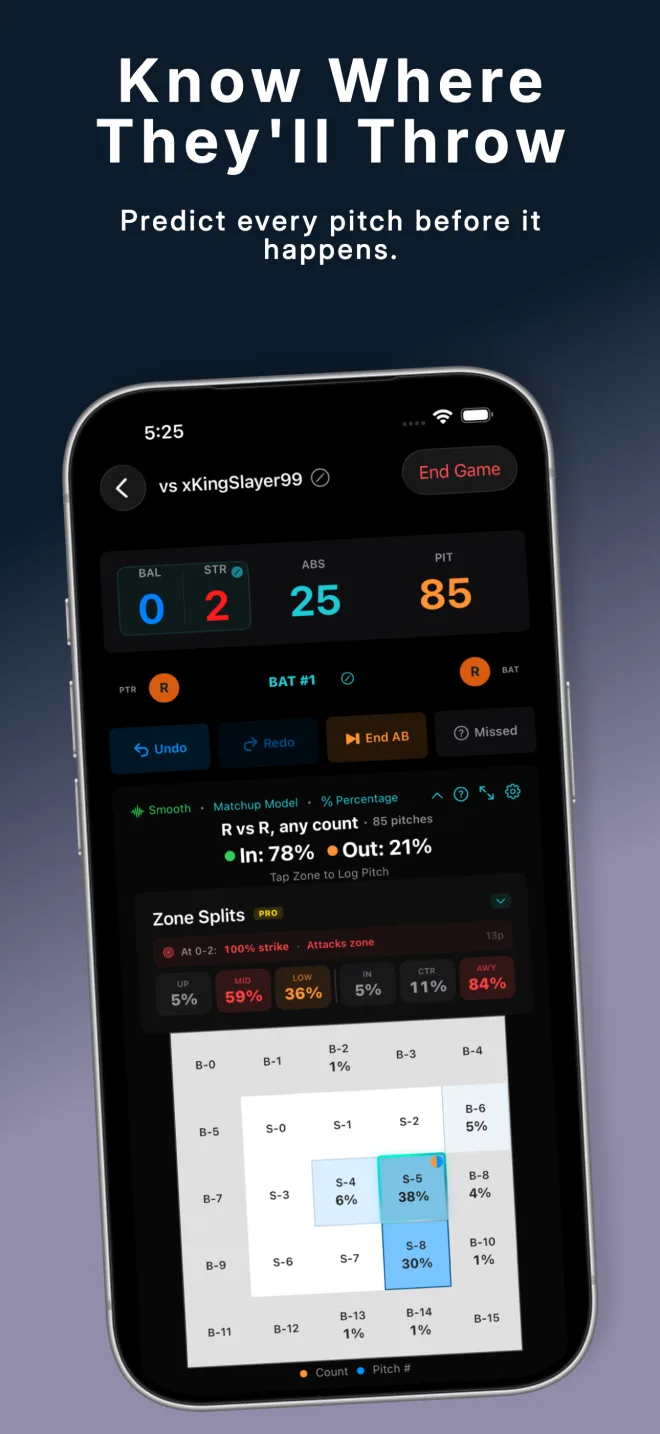
PitchGuessr hero prediction view with Zone Splits — know where they'll throw
Know Where They'll Throw — hero prediction view with Zone Splits
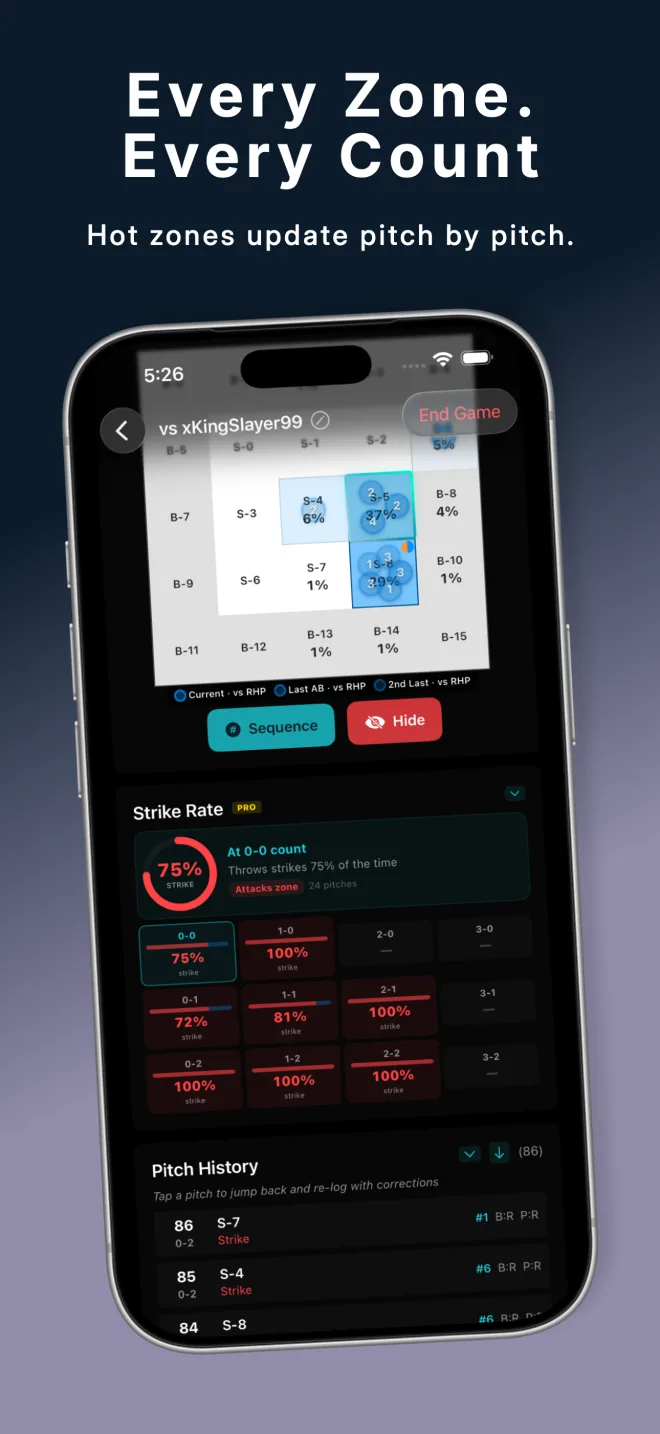
PitchGuessr pitch history and Strike Rate panel — every zone, every count
Every Zone. Every Count. — pitch history + Strike Rate panel
PitchGuessr live heatmap with pitch overlay — see the pattern forming
See the Pattern Forming — live heatmap with pitch overlay
PitchGuessr quick pitch logging screen
Quick Pitch Logging — tap the zone, pick the outcome
PitchGuessr opponent scouting reports
Scouting Reports — build a profile on every opponent
PitchGuessr match setup screen
Set Up & Play — pick handedness, start tracking in seconds

iPad

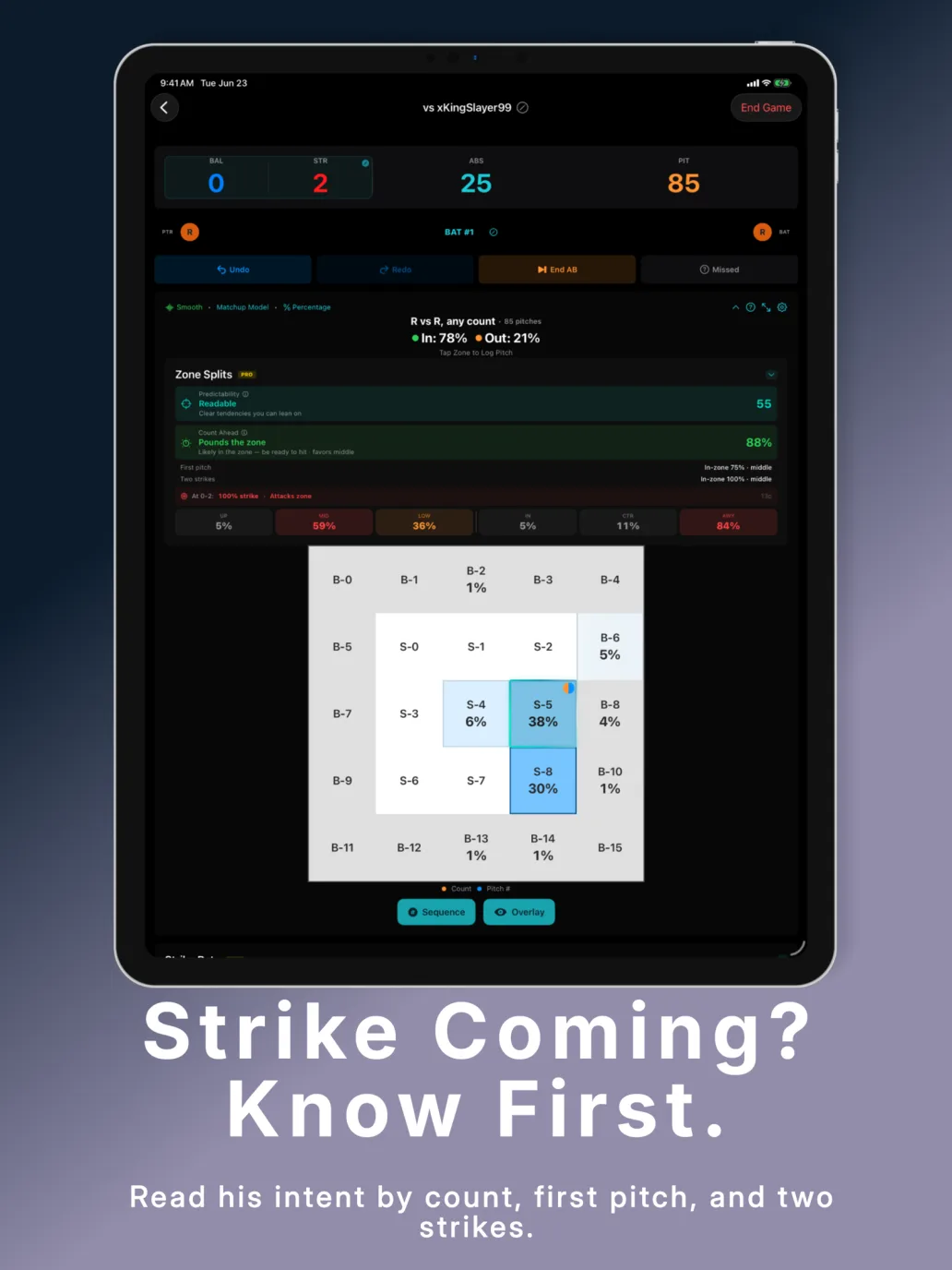
PitchGuessr on iPad — full-size heatmap with expanded zone view
iPad — full-size heatmap with room to breathe
PitchGuessr on iPad — every zone every count with expanded controls
iPad — every zone, every count with full controls
PitchGuessr on iPad — pitch sequence overlay showing patterns
iPad — see the pattern forming across at-bats

See It In Action

3 innings of data. One clear edge.

How Predictions Work

Two models, one goal: tell you where the ball is going before the pitcher releases it.

Key Numbers

Zones Tracked 25 9 strike + 16 ball
Standard Mode Unlocks 5+ pitches at any count
Confidence Levels 4 Very Low → High
Smoothing Method Bayesian accurate at low sample sizes
Raw Mode Pro exact unsmoothed %

At game start you have zero data — Matchup mode gives you handedness-based predictions immediately. As counts accumulate data, Standard mode gives you count-specific predictions like "they throw low-outside 60% of the time at 0-2." Tap the model name in the status bar to switch anytime. Bayesian smoothing ensures early predictions don't wildly overfit to a single pitch. Pro users can toggle to Raw mode to see exact unsmoothed percentages.

The Two Models

Standard

Standard Mode

Filters to pitches at the exact current count and handedness matchup — "what do they throw at 1-2 vs a lefty?" Most precise predictions. Best once you have count-specific data. Available Free and Pro. Tap the model name in-game to switch.

Matchup

Matchup Mode

Uses all pitches thrown to the current handedness combination (e.g., all LHH vs RHP), ignoring count. Best at game start when count-specific data is sparse. Available Free and Pro.

Coming Soon

Weighted Recent

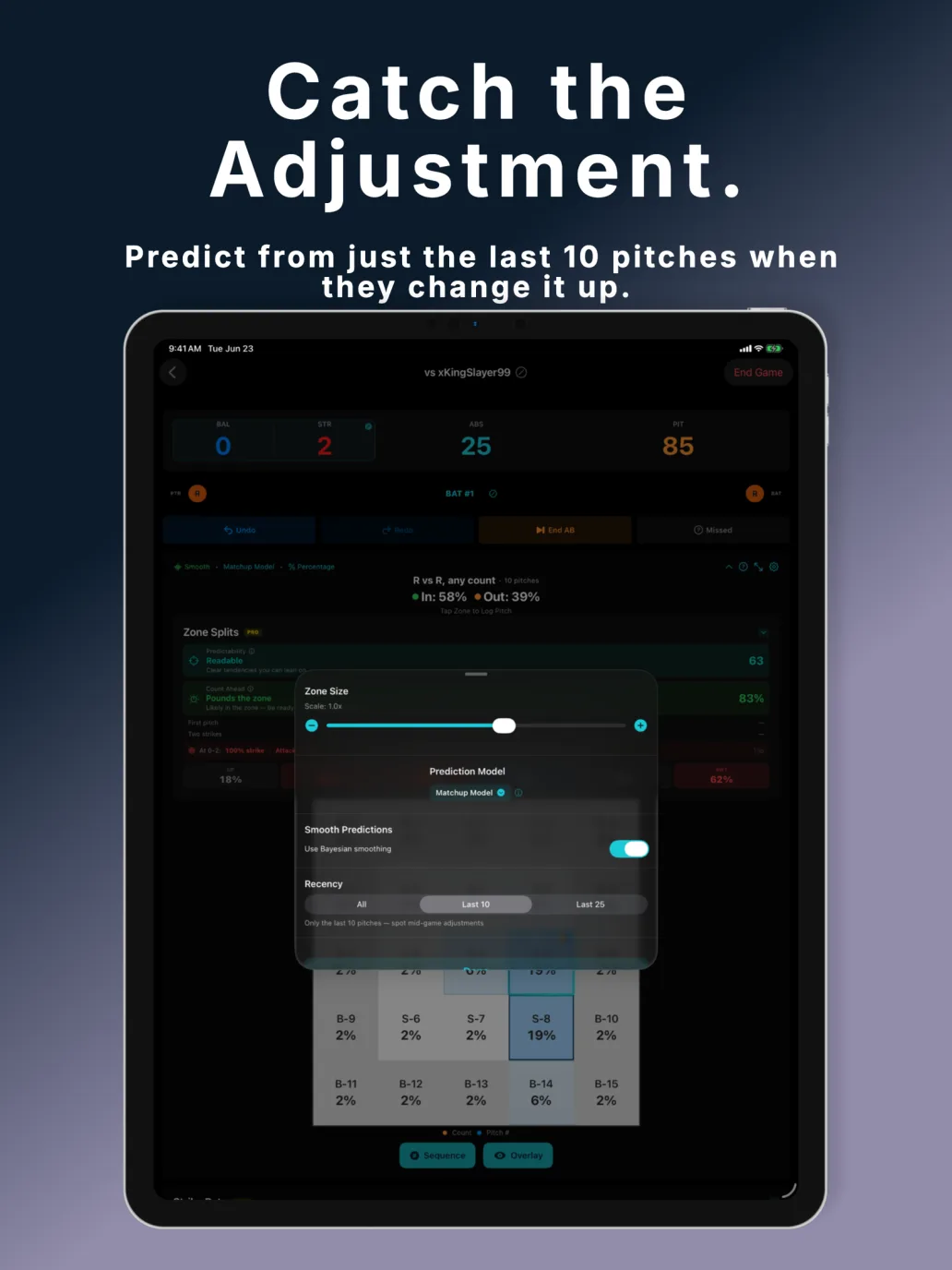
Last 3 at-bats count 3× vs older history. Useful mid-series when your opponent starts adjusting — recent behavior outweighs their long-term tendencies. Coming in a future update.

Why It Matters

Online opponents are creatures of habit — even when they think they're not.

📈

Patterns Emerge Fast

Most MLB The Show players have tendencies they don't even notice — going fastball on 0-0, low-away on 2-strike counts. PitchGuessr surfaces these patterns after just 10–15 pitches.

🎯

Count Changes Everything

An opponent who loves zone 6 overall might almost never go there at 2-0. Standard mode tells you what they actually do at the exact count you're in — not just their average behavior.

🔄

Adjustments Happen Mid-Game

If your opponent figures out you're sitting on their go-to pitch, they'll adjust. Weighted Recent mode detects this shift — it down-weights old data and amplifies what they're doing right now.

👀

The Sequence Tells a Story

Pitch sequence mode shows you their setup-to-putaway progression at-bat by at-bat. Spot that they always go high-tight after two balls away and you'll be ready for it when it matters most.

🧮

Handedness Changes the Picture

Most pitchers throw differently to lefties vs righties. PitchGuessr tracks both matchups independently and auto-resolves switch hitters — so you're never looking at the wrong data set.

Carry History Across Games

Data persists between sessions. Play the same opponent in a rematch and start with all their historical tendencies already loaded. The longer the rivalry, the sharper the predictions.

Coming Soon

v1.2 shipped Zone Splits, Strike Rate Panel, Pitch Recall Modes, Opponent Management, and more. Here's what's next.

  • 📐
    Adaptive Layout & Customizable Panels — moveable, resizable panels in landscape mode. Arrange your strike zone, stats, and controls exactly how you want them.
  • ✏️
    Advanced Pitch Editing (Pro) — edit any logged pitch with smart cascade updates. Changing a zone or outcome auto-corrects dependent counts throughout the session.
  • 📊
    Advanced Analytics Dashboard (Pro) — post-game analysis charts with session-over-session trends and deeper statistical breakdowns.
  • 🕐
    Weighted Recent Model — last 3 at-bats count 3x vs older history. Detects mid-series adjustments automatically.
  • 📈
    In%/Out% Trend Indicator — shows whether your opponent is pounding the zone more or less than their session average, with an up/down/flat arrow at a glance.
  • Lineup Position Models — top, middle, and bottom of the order tend to see different pitch mixes. Predictions tuned by lineup slot.
  • 🤖
    Additional Preset Models — 5+ curated prediction models tuned for specific play styles and game situations.
  • 🔍
    Cluster Detection — automatically surface hidden pitch patterns like "they go sinker every time after a ball high."
  • 📅
    Multi-Session Trends — analyze how an opponent evolves across multiple games and sessions over time.
  • 🌐
    Web Companion (Exploring) — a web-based companion where Pro subscribers could view full opponent histories, pitch breakdowns, and session stats from any browser.

Free · Lite · Pro

Unlimited tracking on every tier. Pick the experience that fits you.

Free $0 · ad-supported Lite $2.99/year · no ads Pro $9.99/year
Unlimited at-bat trackingEverything in FreeEverything in Lite
Full heatmap predictionsNo adsZone Splits (vertical & horizontal)
Both prediction modelsStrike Rate Panel (count-by-count)
Confidence indicatorPitch Recall Modes (3 modes)
In-Zone / Out-Zone %Raw mode (unsmoothed %)
Pitch sequence overlayCollapsible stat panels
Opponent managementOpponent editing (name, notes)
Banner & interstitial adsiCloud sync across devices
⬇ Download Free

Why This Exists

PitchGuessr started as a whiteboard.

Between at-bats, I'd mark pitch locations with a dry-erase marker — trying to remember where my opponent was throwing. Then I moved to paper. Then I built a janky web app on my phone's browser, propped up next to my TV.

It worked. I kept winning. So I kept going.

Eventually I thought: I could just build this properly.

Read the full story →

Common Questions

See all FAQs →

Also by RetroGhostLabs

More tools for competitive MLB The Show players.

PitchTunnels App Icon

PitchTunnels

Real 2024 MLB Statcast data powers ranked pitch tunnel recommendations for every pitcher in MLB The Show. Build perfect attack plans — 5+ tunnel pairs per pitcher, animated strike zone, 3-pitch sequencer. Free with ads. Lite $2.99/yr. Pro $9.99/yr.

Learn more about PitchTunnels →
PitchGuessr

Ready to stop guessing?

Free to download. No signup required. All data stored privately on your device.

Free
$0
unlimited · ad-supported
Lite
$2.99
per year · no ads
Pro
$9.99
per year · advanced stats

iPhone & iPad · iOS 17+ · No account required

⬇ Download on the App Store

v1.2 · Updated May 2026 · Questions? support@retroghostlabs.com

PitchGuessr is not affiliated with, endorsed by, or sponsored by Sony Interactive Entertainment, San Diego Studio, MLB, or MLB The Show.