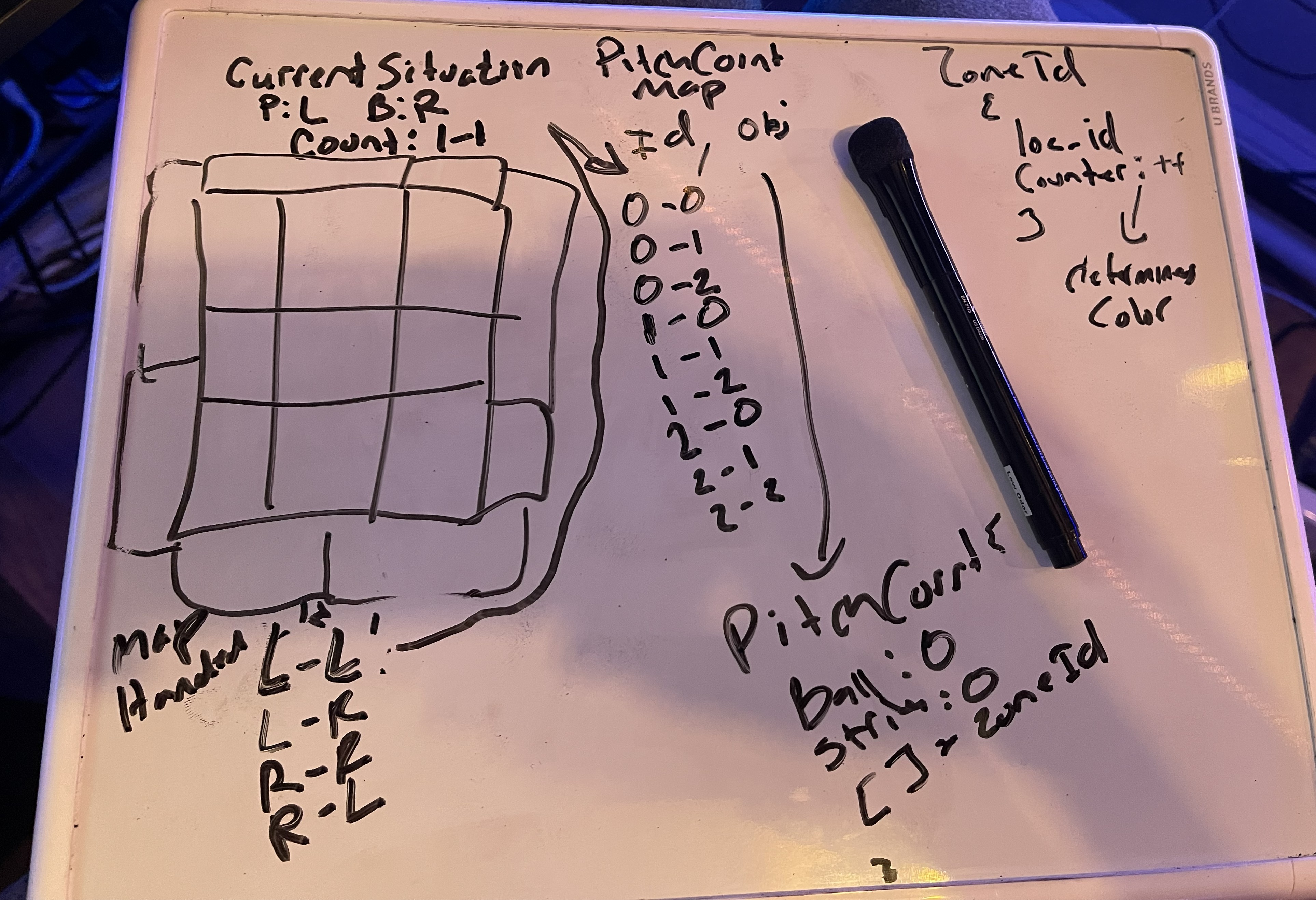
I used to track pitches on a whiteboard.
Back in 2021 — that's when this whole thing started. Between at-bats in MLB The Show, I'd pick up a dry-erase marker and put a tally mark in a hand-drawn grid. Lower-left corner strike — mark. High and inside — mark. By the third inning I had a rough picture of where my opponent liked to live.
It worked. I started winning more at-bats. So I kept doing it.
Here's the thing about playing competitive online baseball: you're managing too much at once. Pitch count, handedness, zone tendency, game situation — all of it happening in the six seconds between pitches while you're trying not to look checked-in.
Your brain isn't built to hold three innings of pitch location data in working memory and still hit. Mine isn't anyway. I'd forget. I'd mix up what happened at 1-2 last time versus 0-0 this time. I'd remember the big moments and blank on the pattern.
The whiteboard helped. But it was across the room.
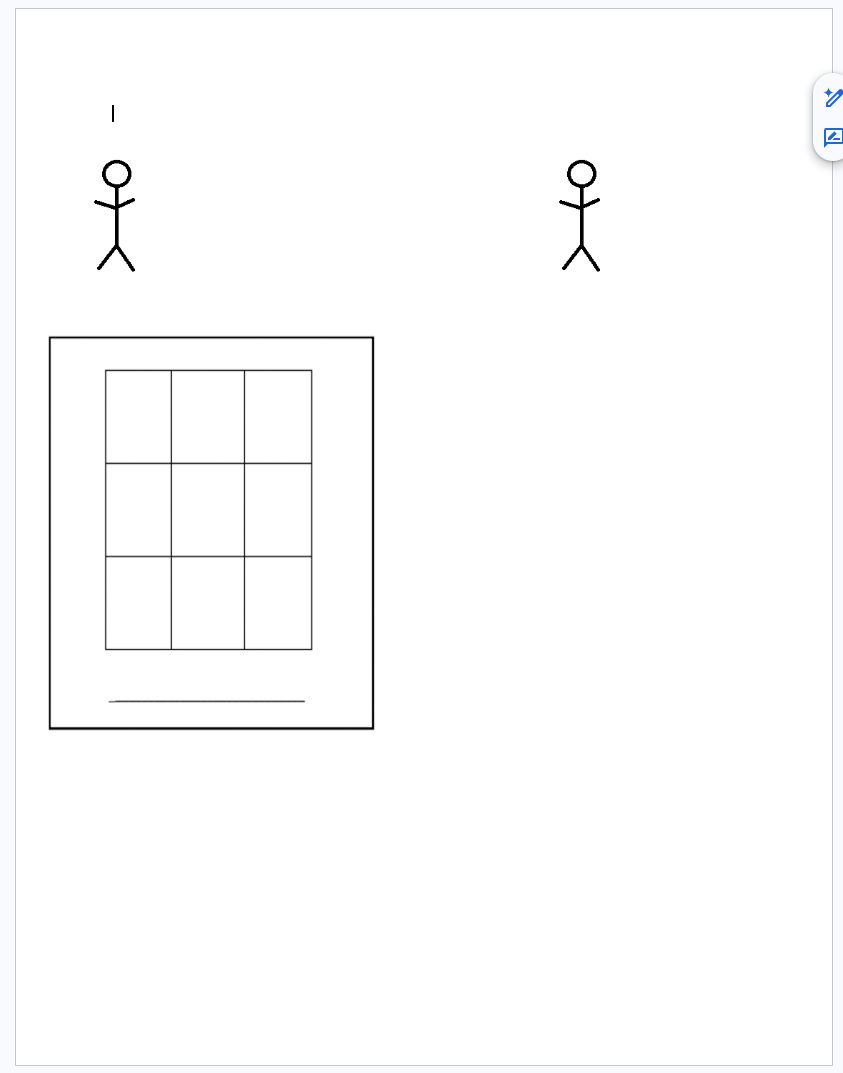
So I moved to paper and pen at my desk, right next to the controller. I actually designed and printed out my own tracking sheets — a strike zone grid with the batter and pitcher positions marked, so I could just circle zones and scribble notes without having to draw anything from scratch mid-game.
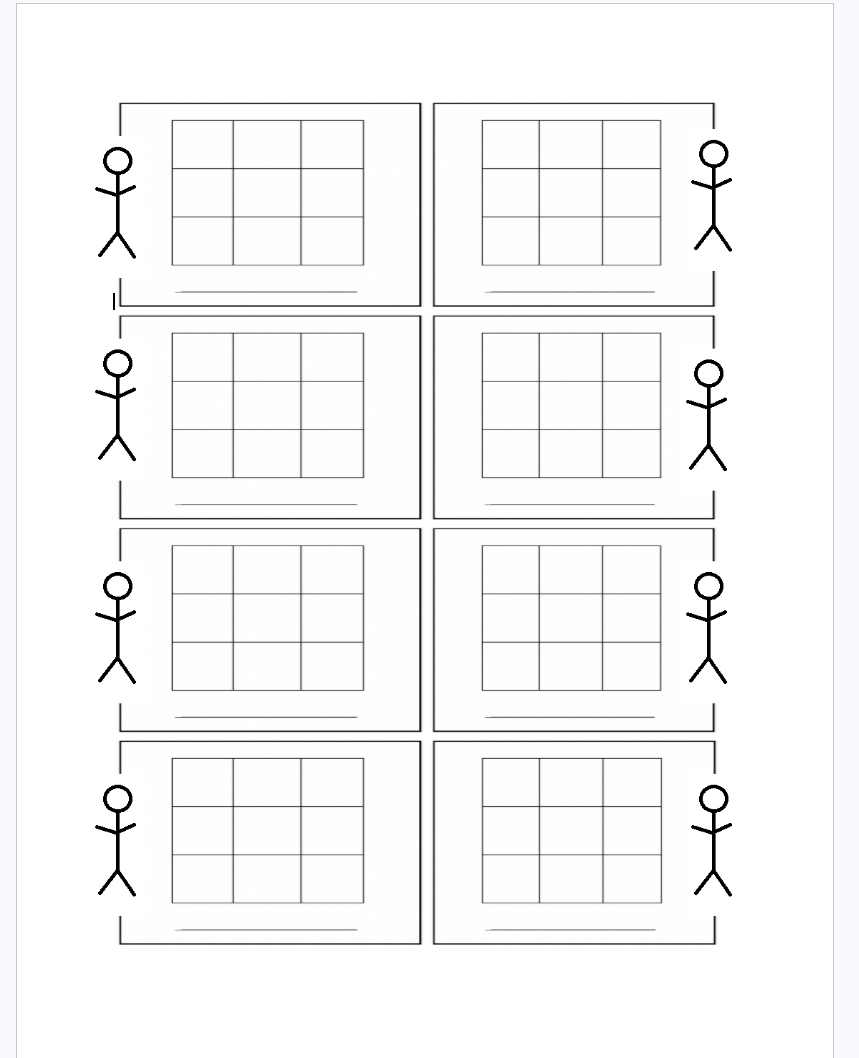
It was slow. I was pausing between pitches, hunched over my desk scribbling zones and writing notes like "0-2 → low away" and "loves the first-pitch fastball up." Probably looked ridiculous. But the data was real, and the edge was real.
At some point I even added a "Best Pitch Tunnels" section to the sheet — started tracking which pitch combos were working together, not just where pitches were landing. That's when I knew I was in too deep to stop.
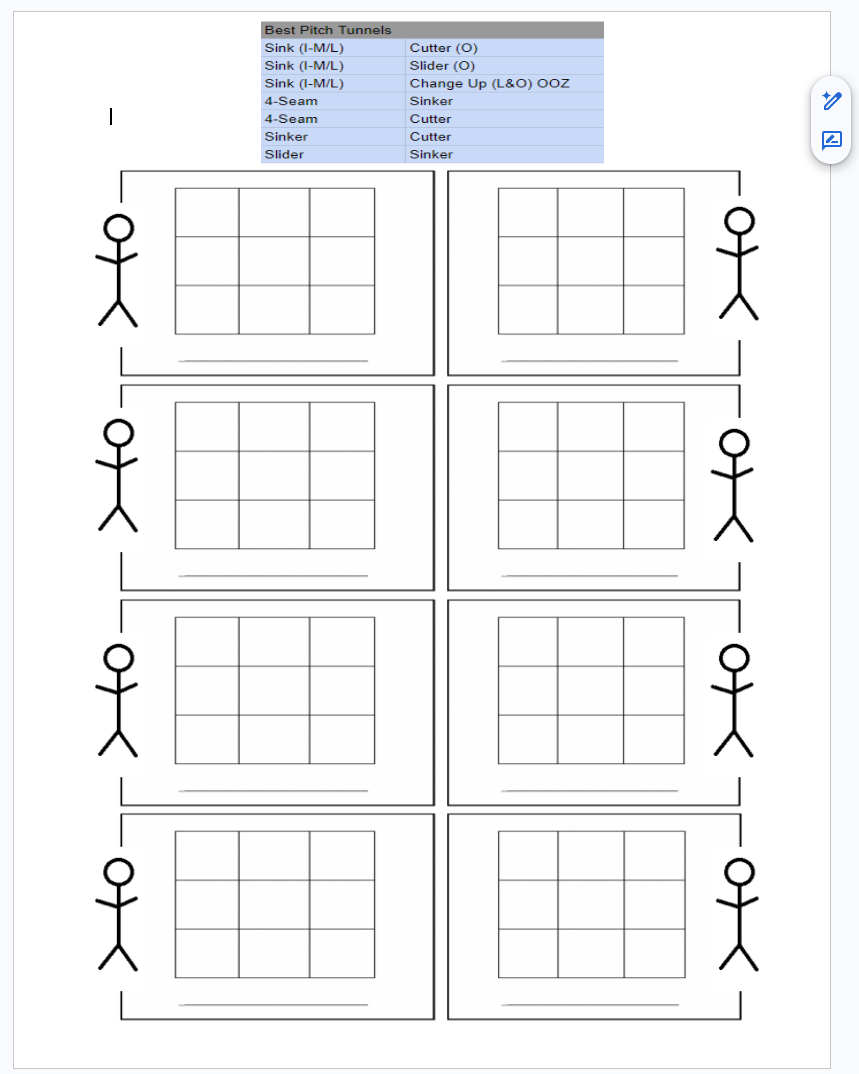
After enough games against the same opponent I had a genuine scouting report — hand-written, slightly chaotic, completely honest.
I kept doing this for a while. Paper templates, notes on the side, whole thing. But I'm a developer and I kept thinking — there has to be a better way to do this. So at some point I built a web app. Just for myself — nothing shared, nothing polished. TypeScript, HTML front end, MongoDB in the back. A grid you could click, it logged zones, showed you the data. I ran it on my PC right next to the TV.
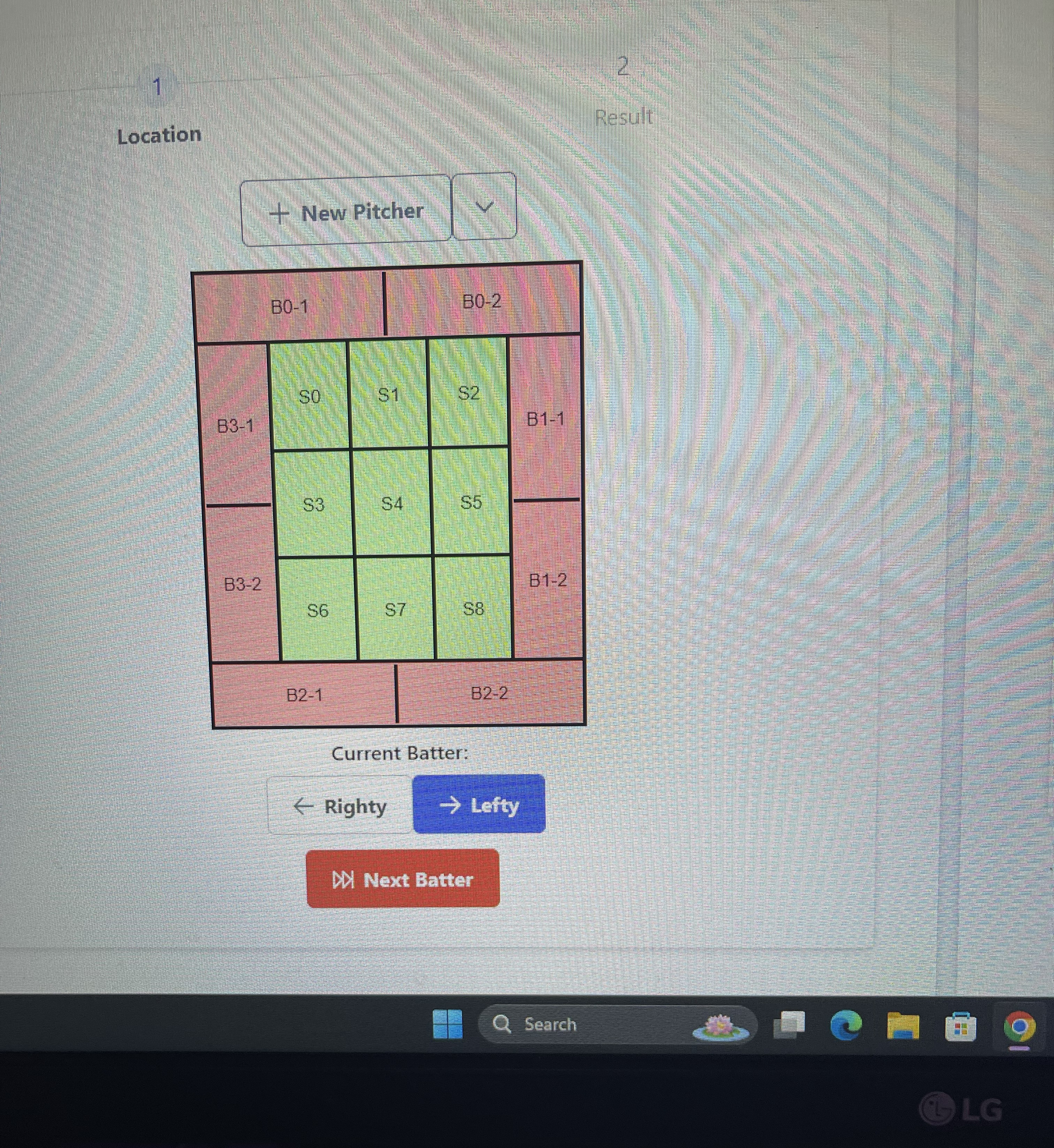
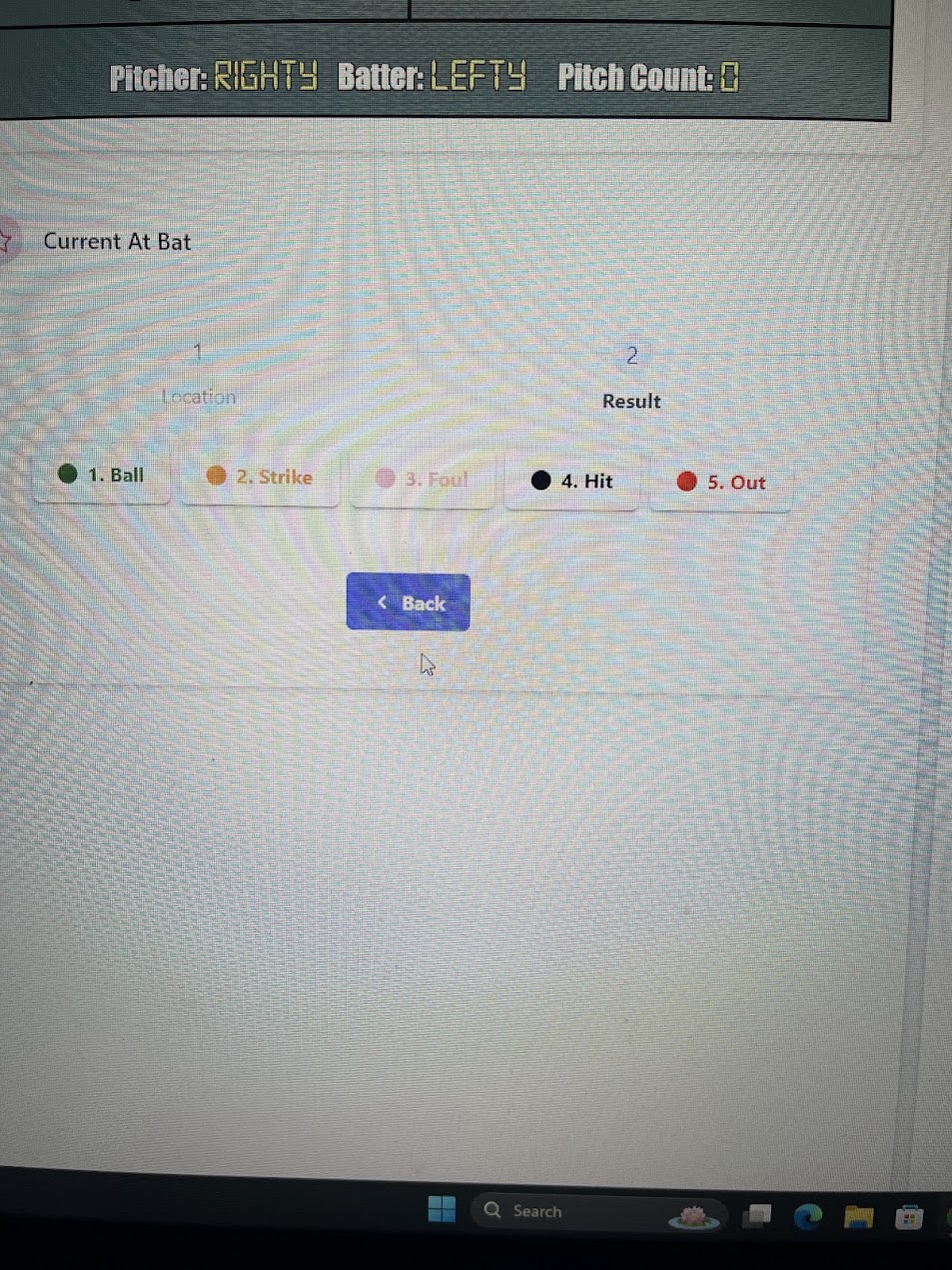
Stupid setup. Worked great.
And I just kept building on it over the years. Tweaking things, adding features, running it during games and seeing what was actually useful versus what was just noise. From 2021 all the way to now — it wasn't like I sat down and built this in a sprint. It grew slowly, shaped by actually using it.
Eventually I thought — this should be a real app. On my phone. Something I could actually pull out between pitches without alt-tabbing to a browser window on my PC.
I spent that fall and winter building PitchGuessr in SwiftUI — no backend, no server, 100% on-device. Your data never leaves your phone. The whole prediction side of it is built around what you're actually logging — the more you track, the better the predictions get.
I launched it the same week MLB The Show 26 hit early access.
I don't know if it's going to land the way I want it to. I built it because I needed it, and the whiteboard and paper templates weren't cutting it anymore. But I'm glad I finally got it out the door after all these years of using the janky version.
If you play MLB The Show online and you're tired of just guessing — give it a shot. It's free to start. No account. No setup. Just create an opponent and start tapping pitches.
And if you've ever tracked something obsessively on paper because you couldn't find an app that did it right... I see you.
Try PitchGuessr Free
Available on the App Store. No account required.
Full heatmap and predictions free for your first 3 innings.
PitchGuessr is not affiliated with, endorsed by, or sponsored by Sony Interactive Entertainment, San Diego Studio, MLB, or MLB The Show.