PitchGuessr v1.3 is all about reading your opponent faster. v1.2 gave Pro the raw numbers — Zone Splits and the Strike Rate Panel. v1.3 turns those numbers into answers: two new Auto Insights that interpret a pitcher for you with zero setup, plus a Recency Window that lets you focus the prediction on only the most recent pitches when a pitcher starts adjusting mid-game.
Everything here lives in the Zone Splits panel and the prediction controls you already use. Nothing new to configure — it just shows up.
Auto Insights Pro
Auto Insights are zero-config reads that appear automatically at the top of the Zone Splits panel as you log pitches. No filters to set, no modes to pick — tap any row for a full plain-English explanation of what it means and how it was calculated.
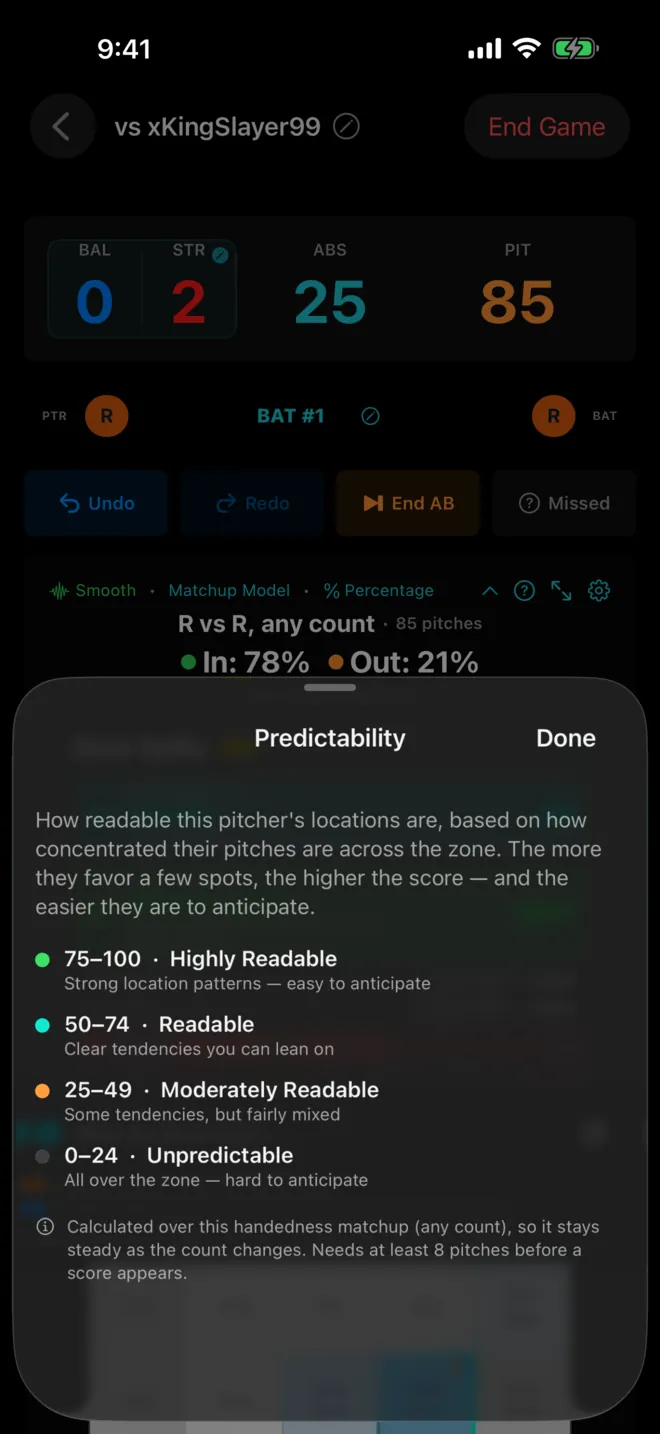
Predictability Score
A single 0–100 read on how readable a pitcher's locations are. A high score means they keep going back to the same spots and you can sit on them; a low score means they're spreading the ball around and you should stay honest. It's the fastest way to know, at a glance, whether this opponent is worth trying to cheat on.
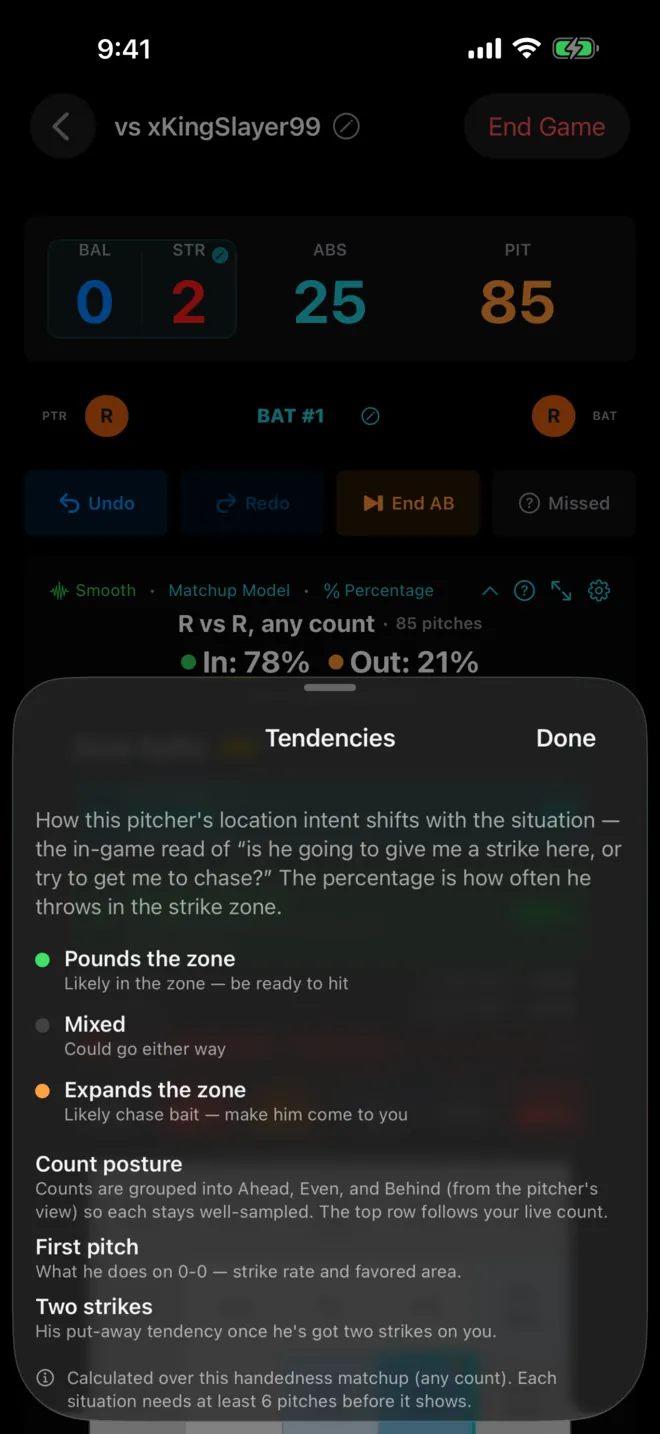
Situational Tendencies
This one answers the question you actually ask at the plate: is he coming after me, or is he trying to get me to chase? Situational Tendencies show whether a pitcher attacks the zone or works you out of it by count, plus their first-pitch and two-strike habits. Know before the pitch whether 0-0 is a get-me-over strike or whether 0-2 is going to be a waste pitch in the dirt.
Recency Window Pro
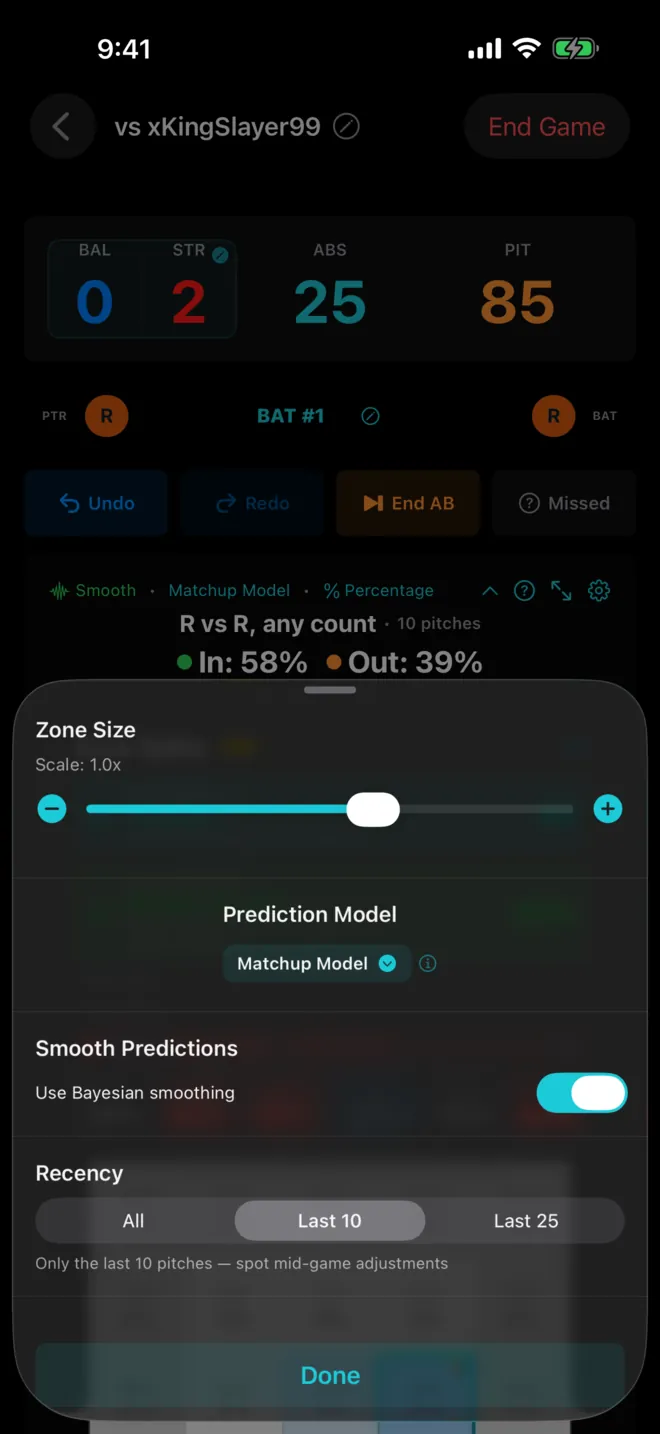
Pitchers adjust. The guy who pounded the zone in the first three innings starts nibbling once he's seen your swings a few times — and a full-game average hides that shift. The Recency Window lets you base predictions on only the last 10 or 25 pitches in the matchup, so you can spot a pitcher changing his approach in real time.
- Narrows the heatmap, Predictability Score, and Situational Tendencies to the recent window — everything updates together.
- Find it in the prediction controls, right alongside the model toggles.
- Resets to All on a new game, so you always start from the full picture.
Use the full history to scout the pitcher's baseline, then flip to the last 10 when you feel the game turning. It's the difference between knowing who a pitcher is and knowing who he is right now.
Everything Else
- What's New screen — the v1.3 highlights surface automatically on your first launch after updating.
- Full changelog — the complete release history lives in Settings → App Information, and on the changelog page.
What's Next
The roadmap still includes the Weighted Recent model, an advanced analytics dashboard, adaptive customizable layouts, cluster detection, multi-session trends, and a web companion. Follow the blog or check the roadmap for what's coming.
Update to v1.3
Available now on the App Store for iPhone and iPad.
Free with ads, Lite $2.99/yr, Pro $9.99/yr. No account required.
PitchGuessr is not affiliated with, endorsed by, or sponsored by Sony Interactive Entertainment, San Diego Studio, MLB, or MLB The Show.