PitchGuessr v1.2 is the biggest update since launch. The 9-batter cap is gone — every user gets unlimited tracking now. There's a new Lite tier for people who want the full experience without ads, and Pro gets a major analytics upgrade with Zone Splits, Strike Rate Panel, and Pitch Recall Modes.
Here's everything that shipped.
New Pricing — 3 Tiers
The old model was simple: free up to 9 batters, Pro for unlimited. The problem was that the 9-batter cap cut off most games after 3 innings — right when the data was getting useful. That's a bad experience.
v1.2 fixes this with a new structure:
- Free ($0) — unlimited at-bat tracking with banner and interstitial ads. All core features included: heatmap, both models, confidence indicator, sequence overlay, opponent management.
- Lite ($2.99/year) — same as Free, but with zero ads. No banners, no interstitials, no interruptions.
- Pro ($9.99/year) — everything in Lite plus advanced analytics: Zone Splits, Strike Rate Panel, Pitch Recall Modes, Raw mode, collapsible panels, opponent editing, and iCloud sync.
The monthly plan is gone. No more free trial. No more intro pricing. Three clean tiers.
Zone Splits Pro
Zone Splits break the strike zone into vertical (UP / MID / LOW) and horizontal (IN / CTR / AWY) regions. Instead of looking at 25 individual zone percentages, you can instantly see whether your opponent works up or down, in or away. The panels are collapsible — expand them when you want the detail, collapse when you need screen space.
Strike Rate Panel Pro
A 4x3 grid showing your opponent's strike tendency for every count situation. Each cell is color-coded: red for 50%+ strike rate, orange for 35-50%, teal for below 35%. The current count is highlighted. Sample size and trend indicators show confidence. At a glance, you know which counts your opponent attacks and which ones they nibble.
Pitch Recall Modes
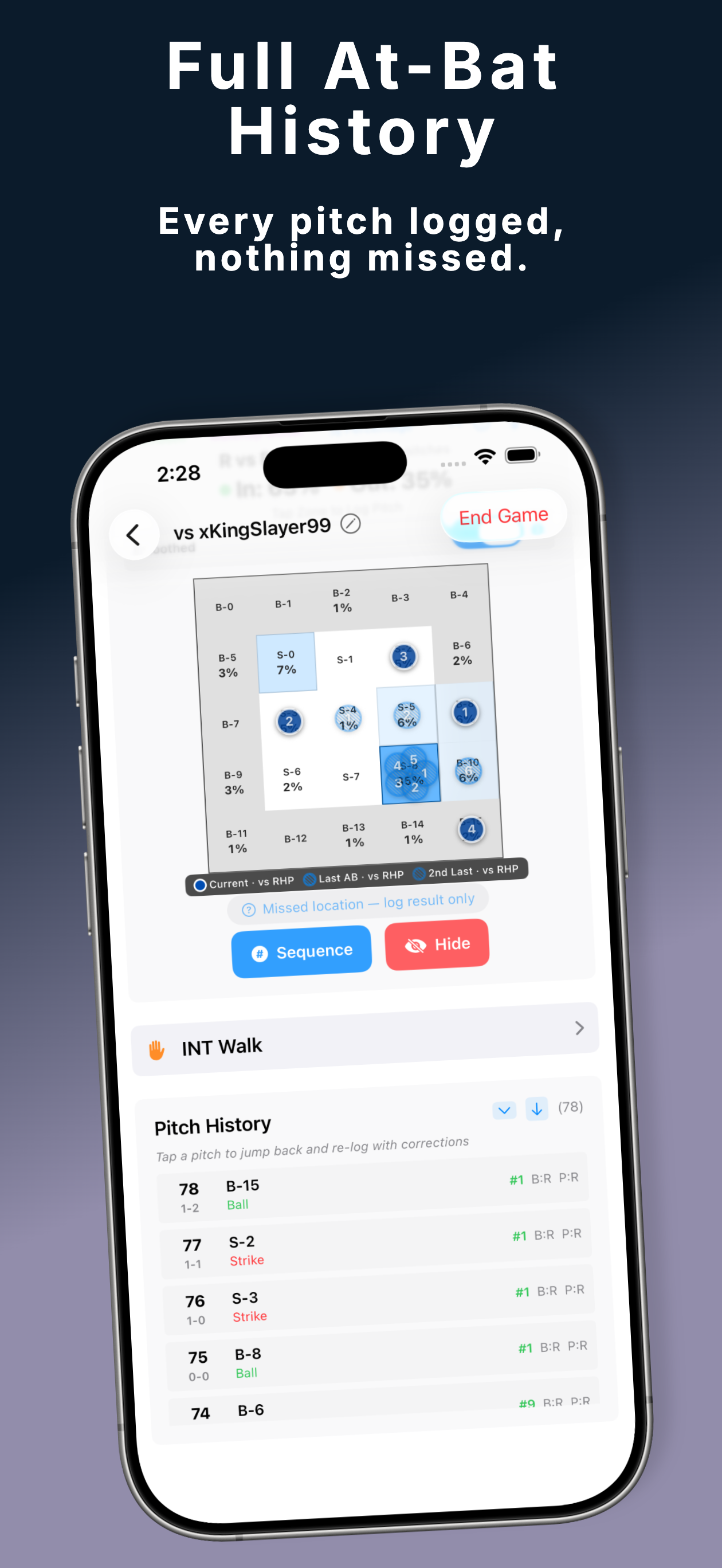
Three new overlay modes that show what happened in previous at-bats, right on the current heatmap:
- Count Recall — orange dots marking zones where the batter faced the same count in a previous at-bat. "They went low-away at 1-2 last time."
- Dual Signal — orange dots (count match) and blue dots (pitch number match) overlaid together. Two layers of pattern recognition at once.
- Ghost Trail — the full previous at-bat sequence shown as numbered circles. See the complete setup-to-putaway pattern from the last time this batter was up.
Long-press the legend to switch between modes. Your selection persists across app restarts. A first-time tooltip explains the feature.
Fullscreen Hybrid Controls
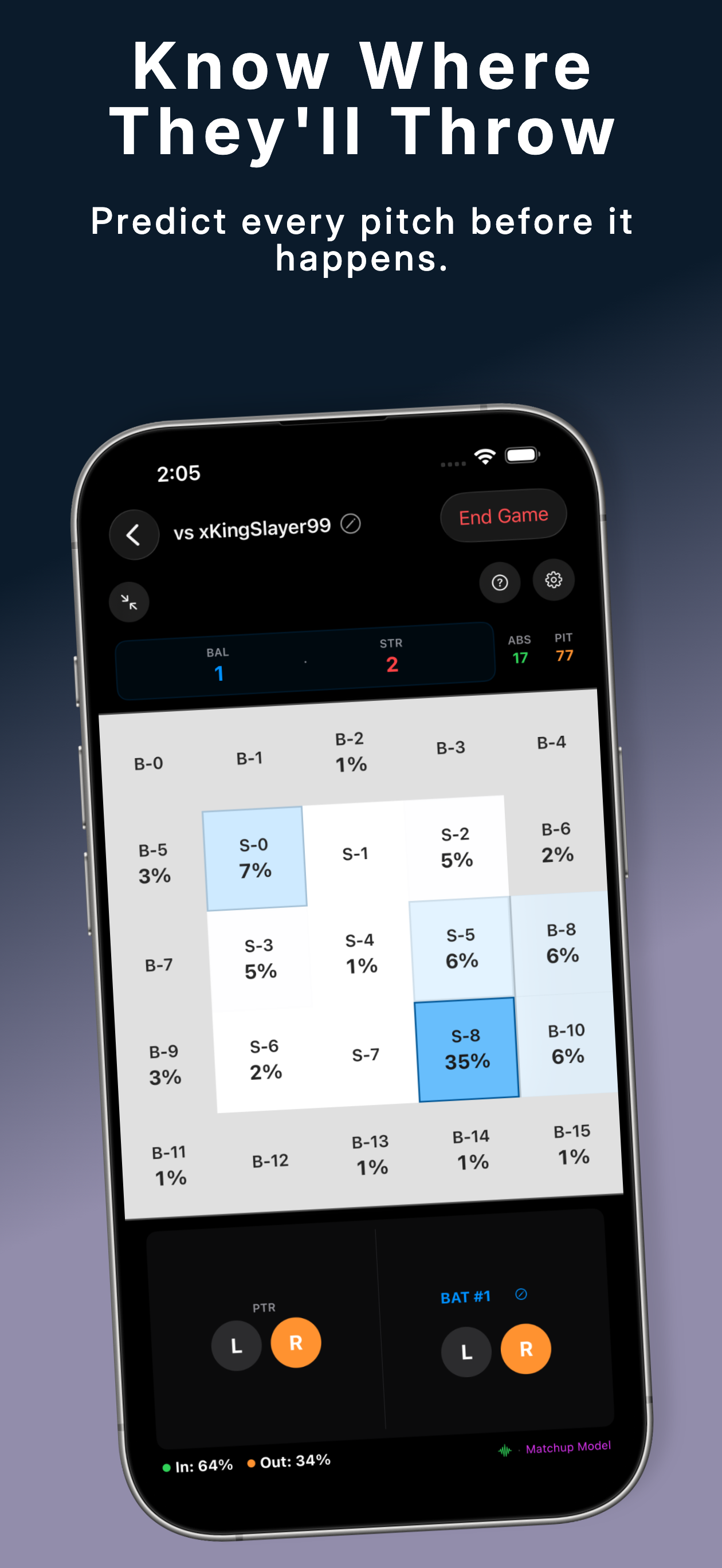
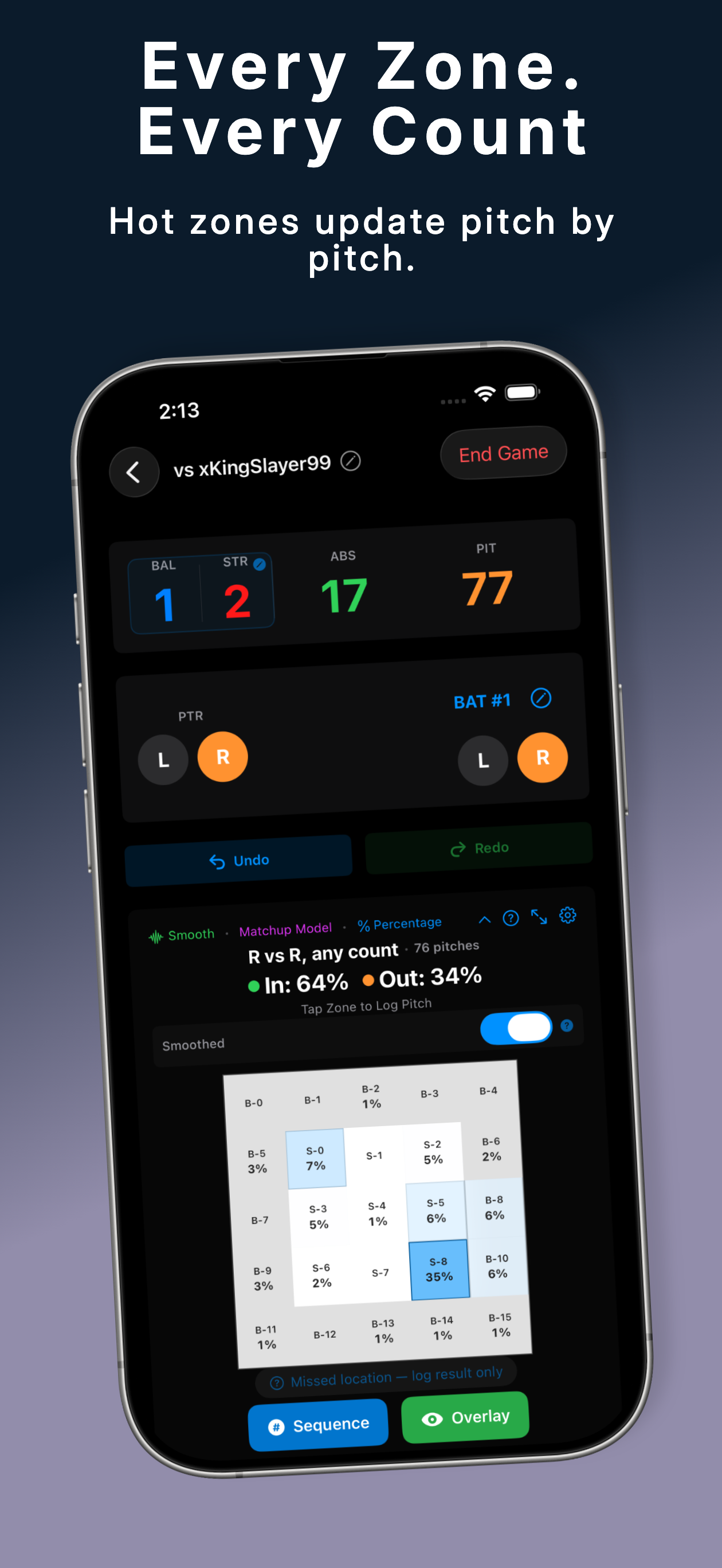
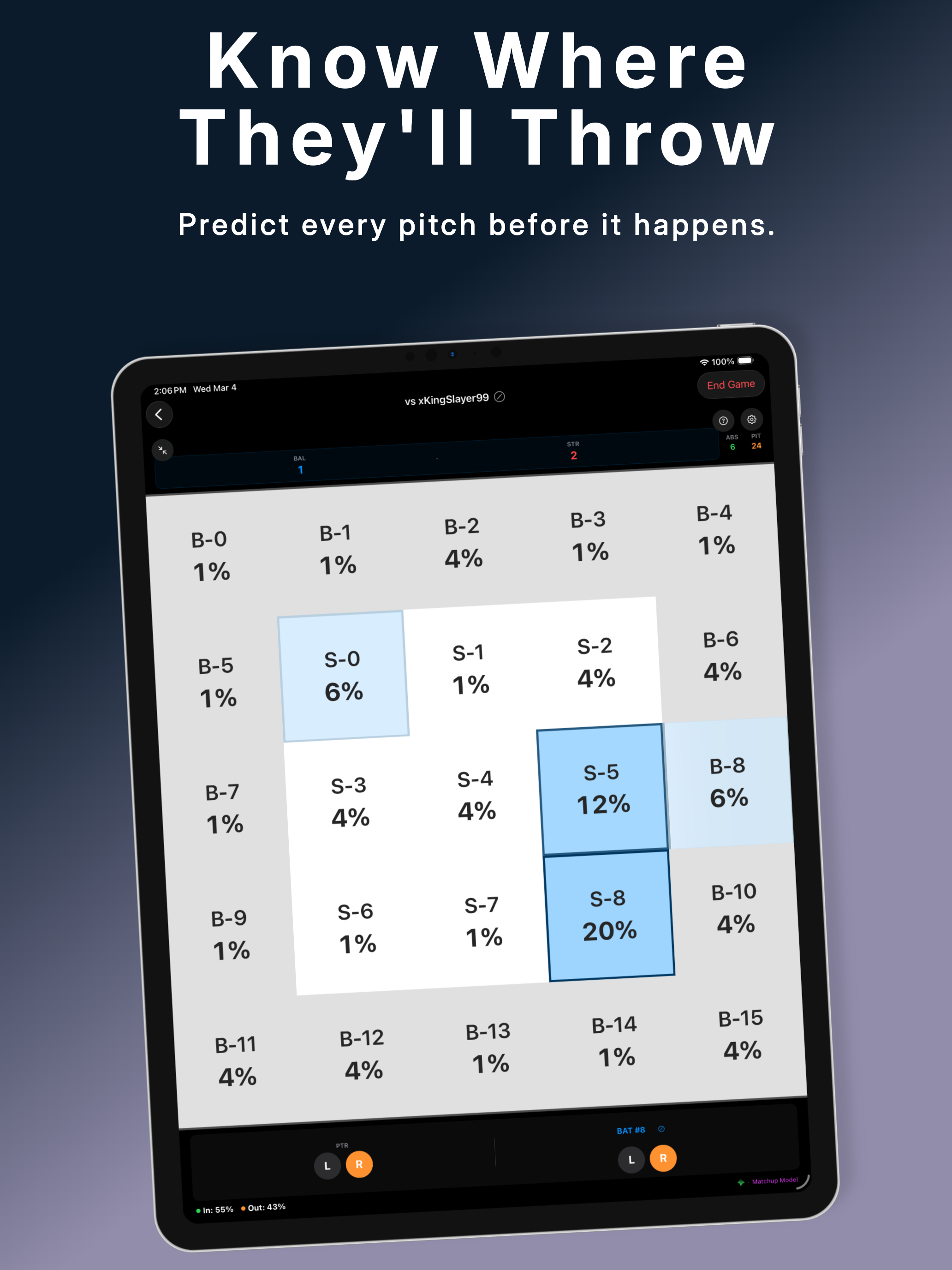
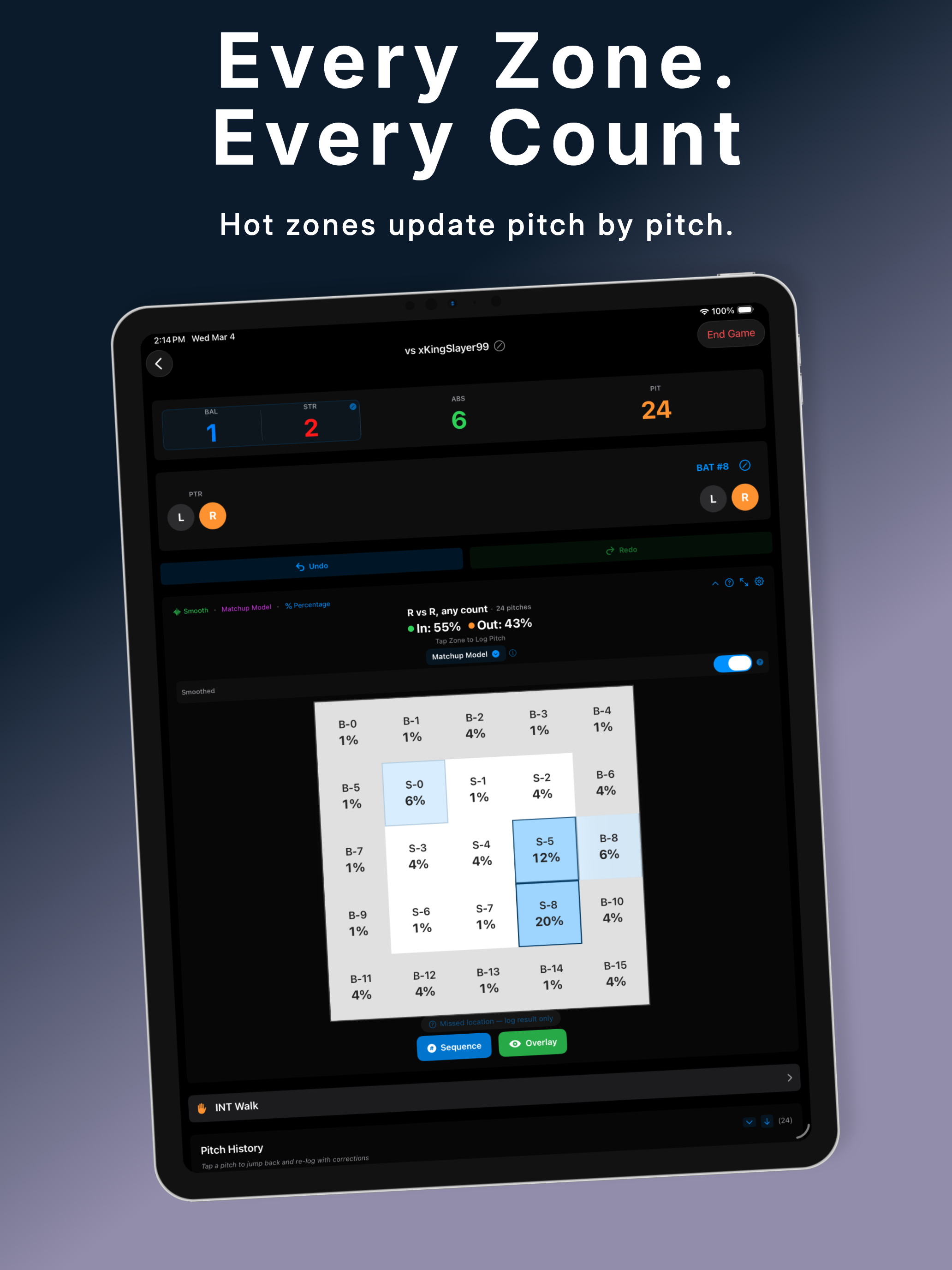
The fullscreen view has been completely redesigned. In portrait, stats panels sit below the handedness row with expandable Zone Splits and Strike Rate sections. In landscape, a left panel holds count and controls while a right panel has tabbed Stats/History views. All action buttons — undo, redo, skip, missed location — are always visible. No more hunting through floating overlays.
Opponent Management
You can now edit an opponent's name, notes, and lineup handedness outside of a game session. Previously, you could only set these during game creation. There's also a content filter that blocks profanity in opponent names and notes, including leet-speak normalization.
iCloud Sync Pro
Opponents, sessions, and pitches now sync across your devices via your Apple iCloud account. Play a game tracking on your iPhone, then review the data on your iPad. All data is encrypted end-to-end by Apple — RetroGhostLabs never sees it. Sync works with offline queue-and-flush, so if you lose connection mid-game, everything catches up automatically.
Design Refresh
New ocean-teal color palette matching the DiamondOps family. WCAG AA text contrast compliance throughout. New app icon with teal branding. Breathing animation on the highest-probability zone (subtle 1.04x pulse, respects Reduce Motion). Handedness toggle colors updated: lefty blue, righty orange, switch hitter cyan.
Screenshots
Everything Else
- Cross-promotion — "More from RetroGhostLabs" section in Settings with links to PitchTunnels and DiamondOps. Post-game tips suggest related apps.
- What's New screen — automatically displays on upgrade from v1.1 with feature highlights. Doesn't appear on fresh installs.
- Release history — full changelog accessible from Settings → App Information.
- Content filter — profanity blocking with leet-speak normalization on opponent names and notes.
- Breathing animation — subtle pulse on the highest-probability zone. Respects Reduce Motion accessibility setting.
- Free users can continue saved games — removed the Pro gate on continuing.
- iPad ad fixes — banner ads display correctly in all orientations.
- End Game single-tap — improved responsiveness by dismissing active sheets first.
- Free Base menu consolidated — HBP, INT Walk, and Other are now in a single picker.
- Fullscreen buttons always visible — Undo/Redo and Skip/Missed Location are never hidden.
- Updated Help & FAQ — new entries for Zone Splits, Strike Rate, breathing animation, and opponent editing.
What's Next
The roadmap still includes the Weighted Recent model (last 3 at-bats weighted 3x vs older data), an advanced analytics dashboard, adaptive customizable layouts, cluster detection, multi-session trends, and a web companion. Follow the blog or check the roadmap for updates.
Update to v1.2
Available now on the App Store for iPhone and iPad.
Free with ads, Lite $2.99/yr, Pro $9.99/yr. No account required.
PitchGuessr is not affiliated with, endorsed by, or sponsored by Sony Interactive Entertainment, San Diego Studio, MLB, or MLB The Show.