A few years back I got deep into pitch tunnels.
Not like casually interested. I mean I was watching YouTube videos, reading forum posts, tracking Twitch streamers, and eventually sitting at my desk with a stack of laminated charts in plastic sleeves trying to find the right one for the matchup before the at-bat started.
It started in MLB The Show. I kept losing online because I had no real pitching plan — I was just throwing strikes and hoping. So I started looking up how people actually pitch. That rabbit hole led me to pitch tunneling, and once I understood what it was I couldn't unsee it.
The concept is simple: two pitches look identical coming out of the hand, then break to completely different spots. The batter has to commit before they can tell the difference. That's the whole game. Start them in the same window, send them to different addresses.
I found YouTube videos where real MLB players talked about the specific tunnels they throw — a fastball up and in paired with a slider down and away, both starting at the same release point. I found Statcast breakdowns, baseball blogs, Reddit threads going deep on pitch location by count. People had actually mapped this stuff out. Charts showing exactly where each pitch type clusters around the zone when thrown correctly.
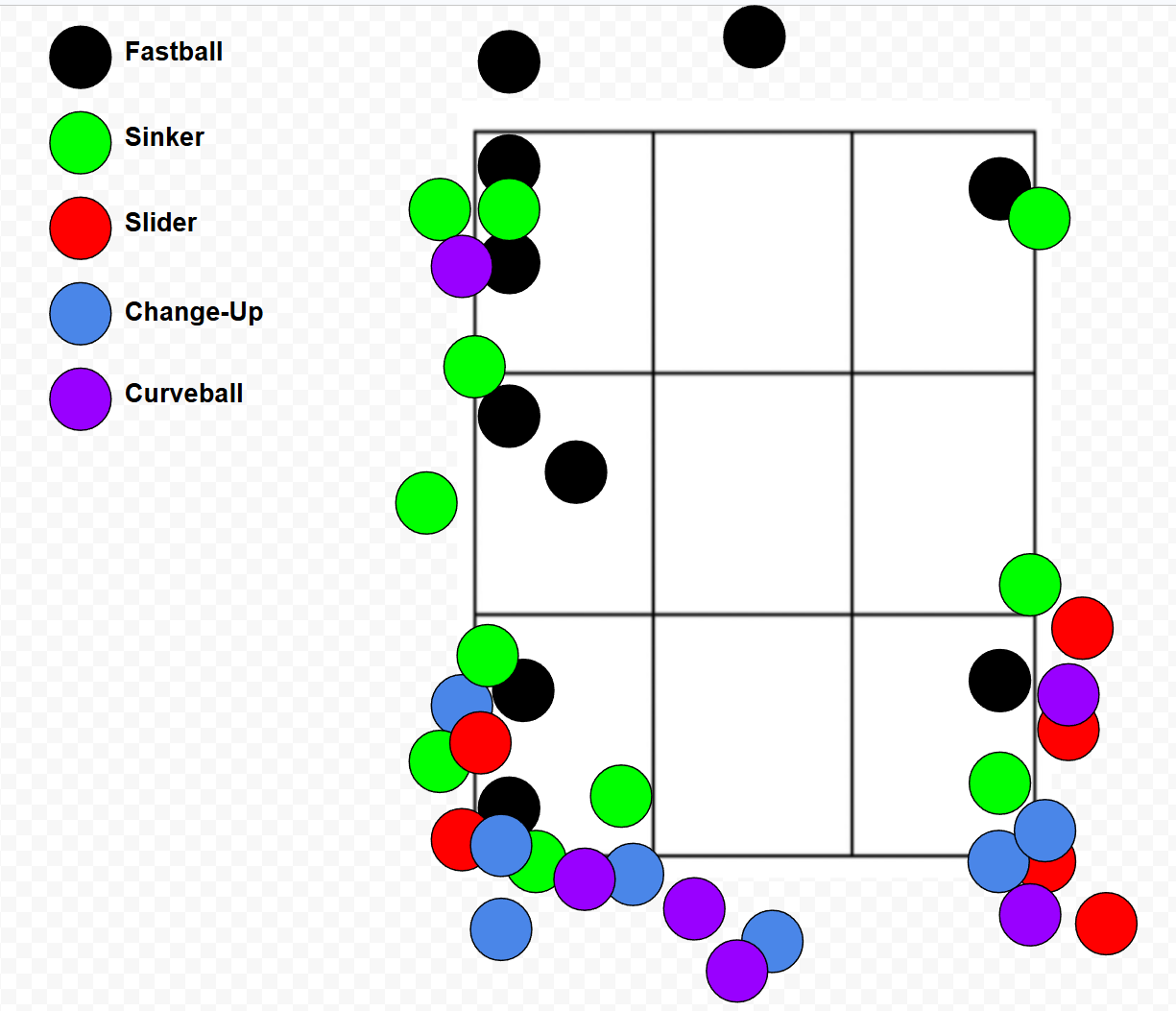
That clicked for me. I started using these charts as a reference — okay, LHP vs RHH, here's where the fastball goes, here's where the changeup follows it. Same tunnel, different destinations. Started winning more.
Then I started watching good players on Twitch. Not just watching — actually tracking what they threw, where it went, what count it was on. What did they throw first pitch? What did they come back with at 0-2? How did they set up the strikeout? I was taking notes. That's when I started building my own charts.
LvR. RvL. LvL. RvR. One chart per handedness matchup, with all the pitch types mapped out — color-coded blocks showing the primary location for each pitch, grouped by where they tunnel best together. I made these myself, based on all the research plus my own hours of play and observation.
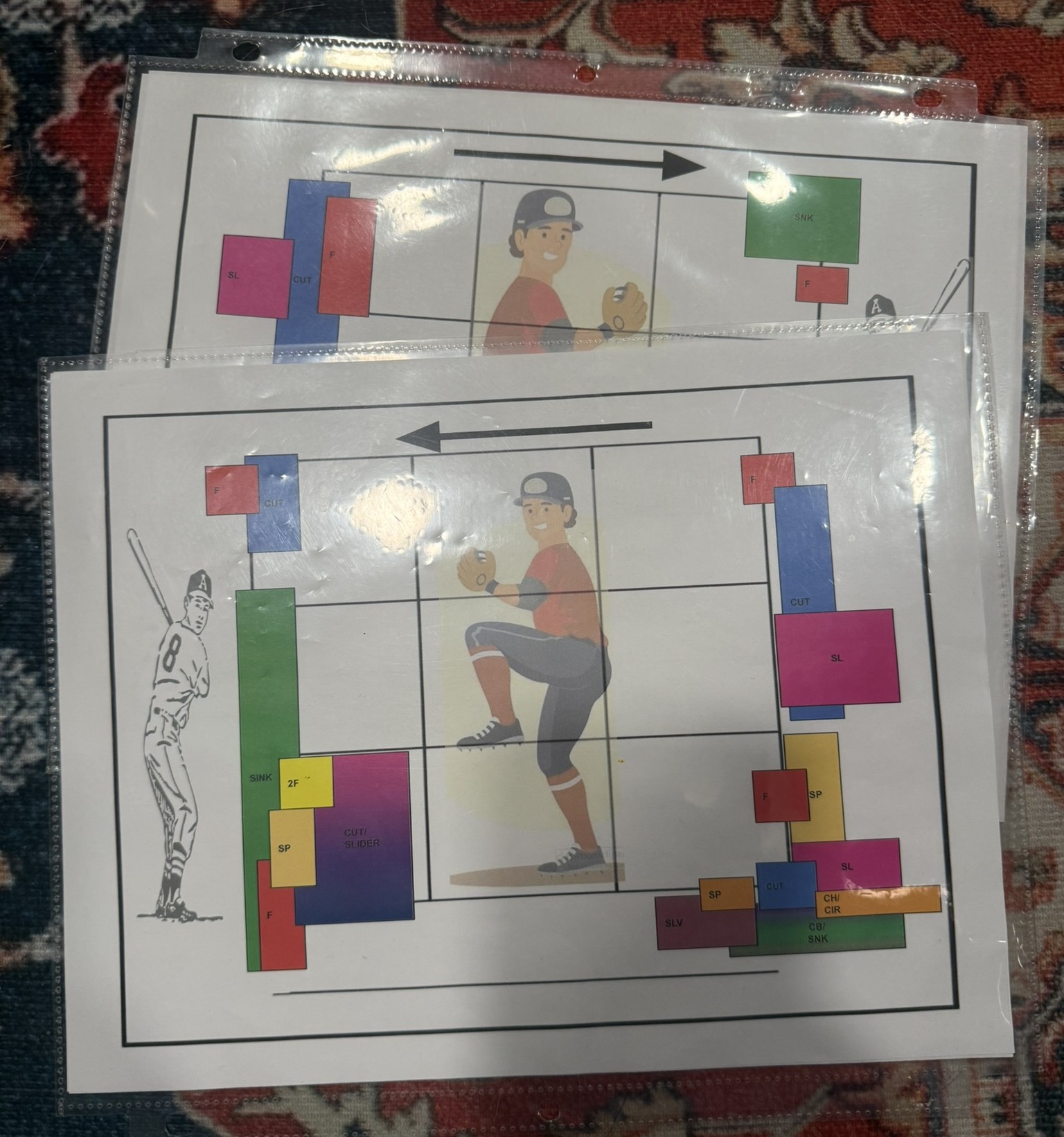
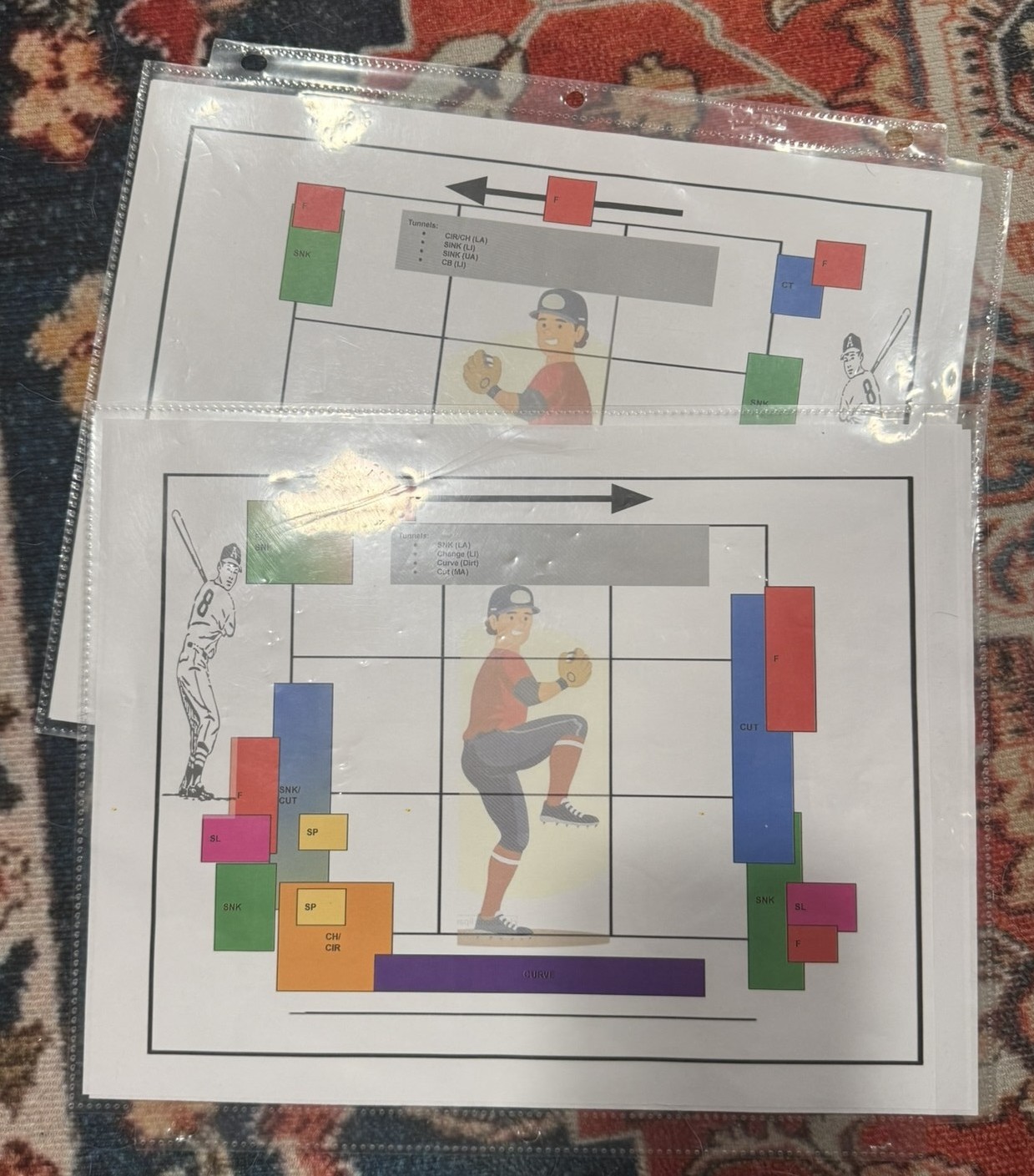
Over the years these charts got more and more dialed in. I kept watching, kept playing, kept refining. What works at 0-0 vs 1-2. Which tunnels actually hold up vs lefties. I had pretty solid reference material for basically any matchup situation.
The problem was using them.
Sitting at my desk with a stack of laminated sheets, trying to flip to the right one mid-game — that's not fast. You've got the pitch clock running and I'd be fumbling through the stack trying to find the right matchup and boom — pitch clock violation. Just gave up a ball for free because I was shuffling paper. And honestly it's not just about me, I don't want to be that guy holding up the game while my opponent is sitting there waiting on me to throw a pitch. Nobody wants to play against someone who takes forever between pitches. I need something I can check in a second and move on. Find the right matchup, check the chart, then the count changed and I needed a completely different chart — it just didn't work. And the bigger issue: most of the time my pitcher doesn't have all the pitches on the chart. The chart shows the ideal locations for a sinker, cutter, curveball, slider, changeup — but if my guy only throws a four-seam, sinker, and slider, half the chart is noise.
I needed something I could actually use in real time.
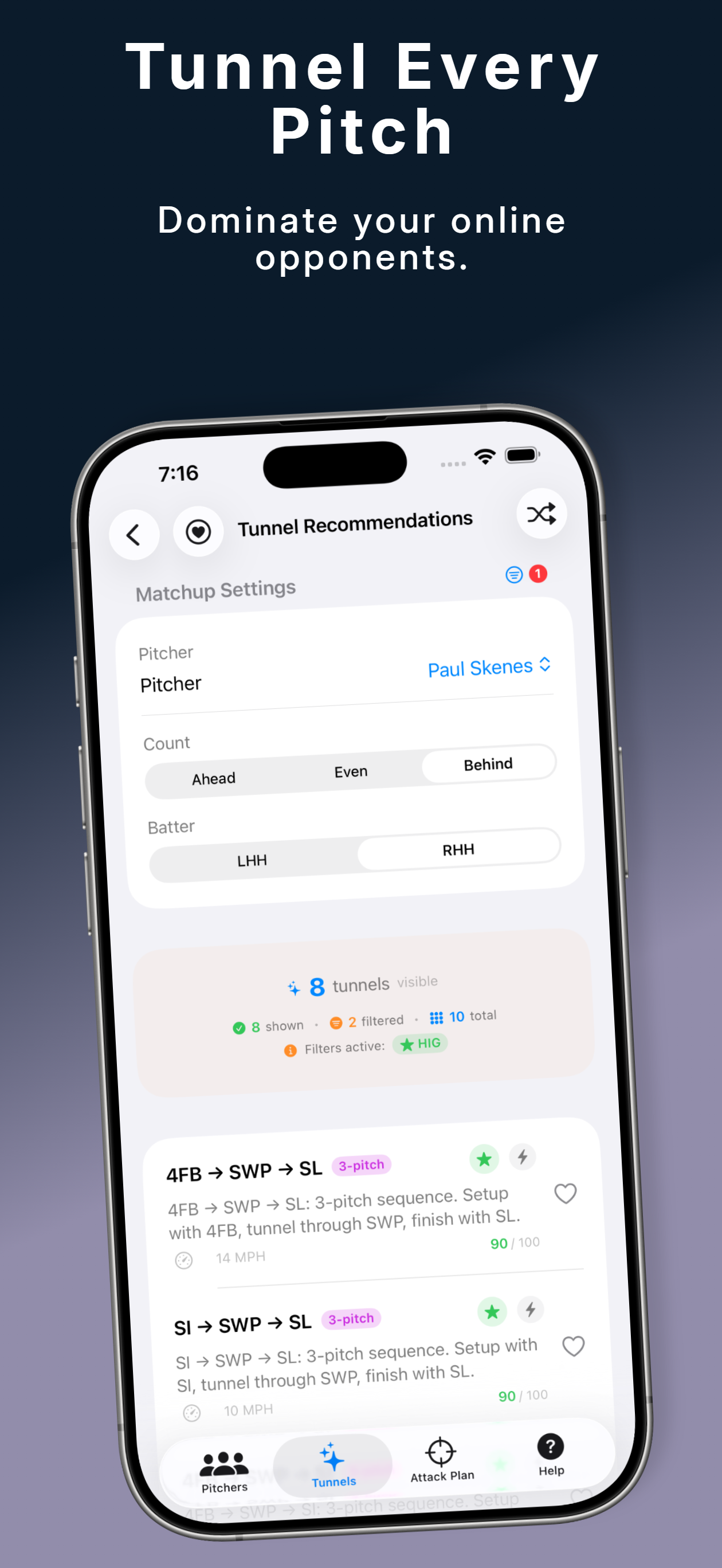
So I was like — I need this on my iPhone or iPad. Quick toggle for pitcher handedness, batter handedness, count. Filtered to just the pitches that pitcher actually throws. Show me the tunnels graphically so I can see at a glance where to go. Instead of flipping through a stack of charts, I just tap my way to the right matchup in a couple seconds and the app shows me exactly what I need.
That's where PitchTunnels came from. Not from some business idea — just from being annoyed at how long it took me to find the right laminated sheet.
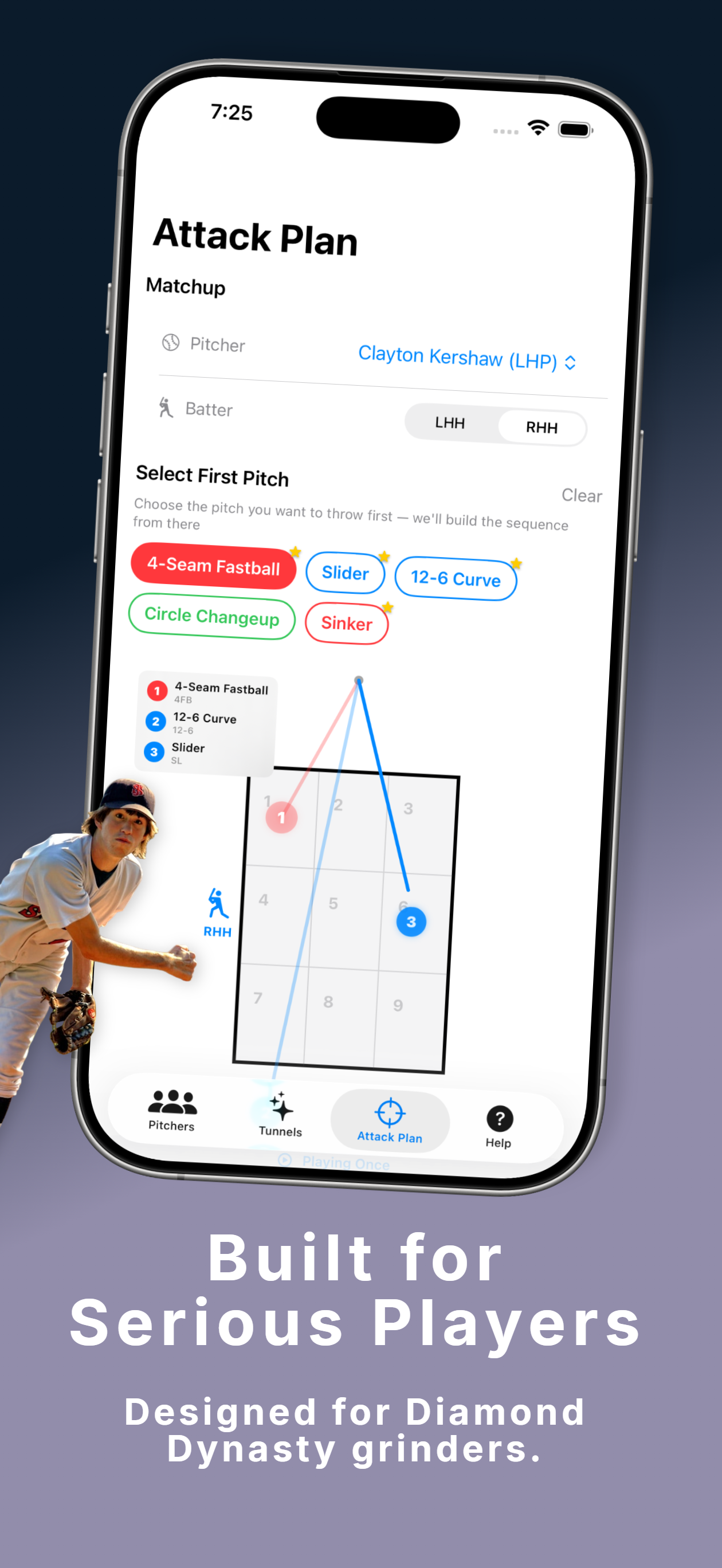
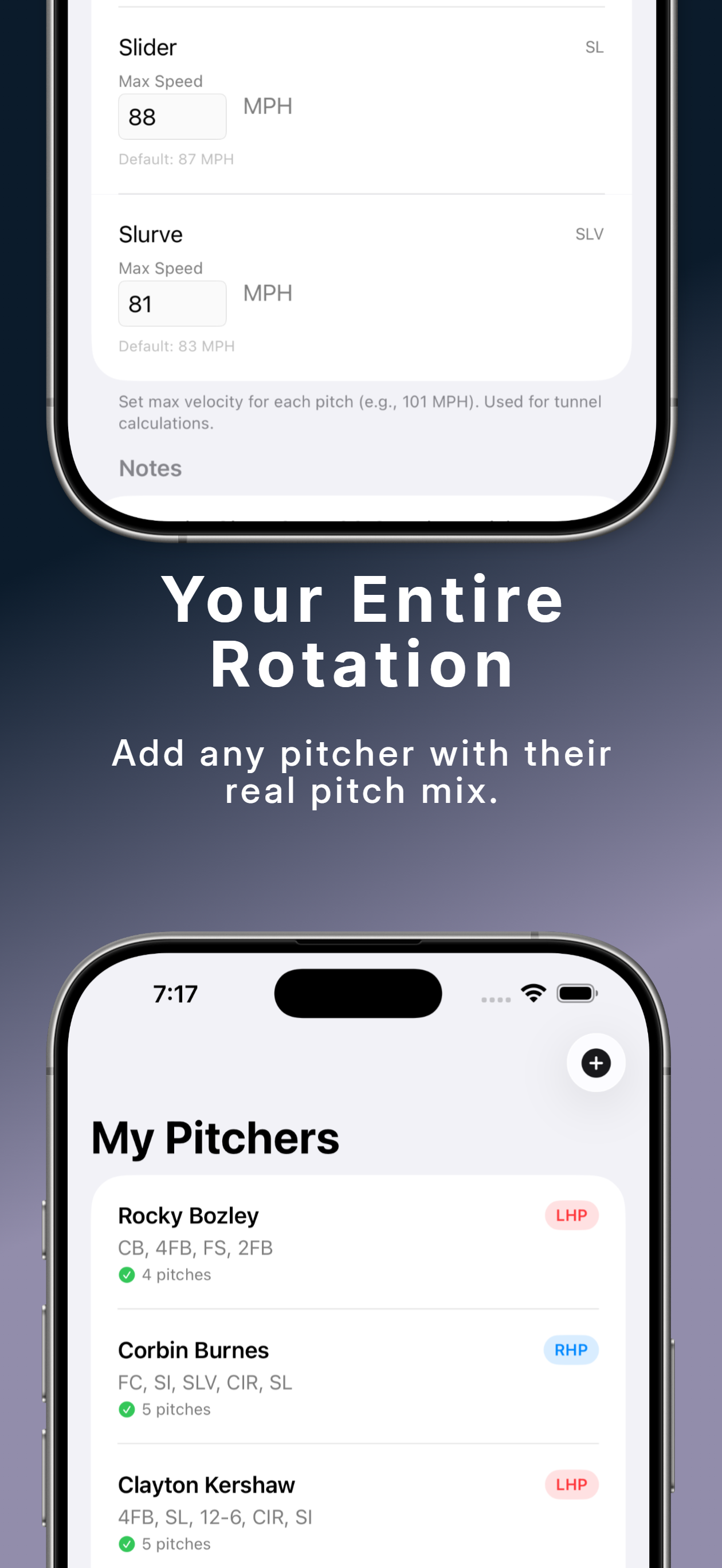
You add your pitcher, set their arsenal, and the app filters every tunnel recommendation to only use pitches they actually throw. No noise, no irrelevant combos. Just — here's what works with what this pitcher has, for this matchup, in this count.
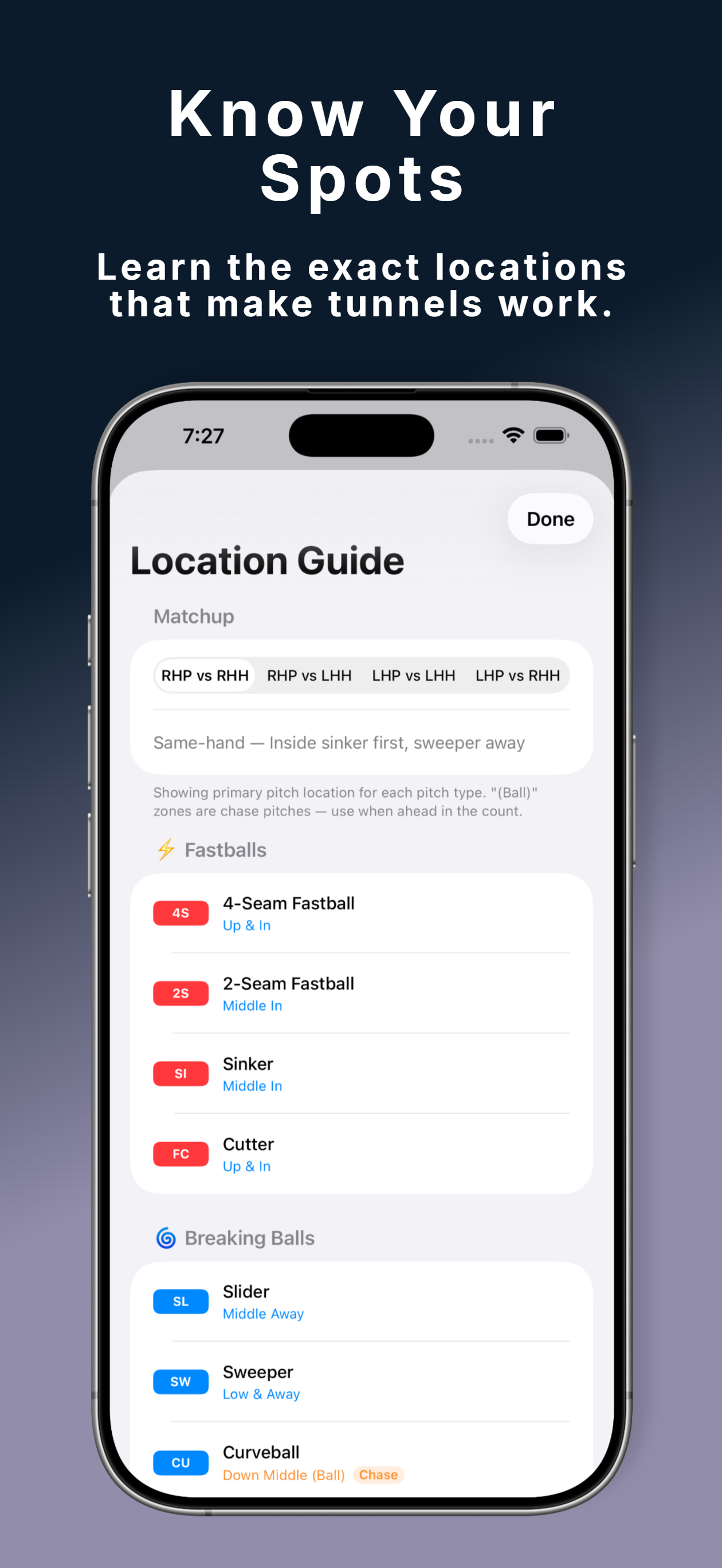
The Location Guide screen is basically the digital version of those laminated charts. Same idea — primary location for each pitch by matchup handedness — but you can flip between RHP vs RHH, LHP vs LHH, all of it, instantly. No fumbling. No stack of paper.
It's wild to me that what started as watching a YouTube video about how a real MLB pitcher sets up his slider eventually turned into this. But that's kind of how it goes — you get interested in something, you go deep on it, and at some point the tools you're using to do the thing stop being good enough and you have to build your own.
The laminated charts did the job for a long time. They just weren't going to cut it anymore.
Try PitchTunnels Free
Available on the App Store. Add up to 3 pitchers free.
Tunnel Recommendations, Attack Plan, and Location Guide included.
PitchTunnels is not affiliated with, endorsed by, or sponsored by Sony Interactive Entertainment, San Diego Studio, MLB, or MLB The Show.